
Connect Instantly: Chats with Providers Anytime
As a patient exploring treatment options, direct communication with providers is essential. Being able to send messages, ask detailed questions, share medical information, and receive quick responses helps build trust and clarity before making a decision. The Chat feature inside the PlacidWay Patient Portal makes it easy to connect with clinics and hospitals in real time—just like using a familiar messaging app.
How to Send Messages to Providers and Chat Directly
Login to your PlacidWay Patient Portal:
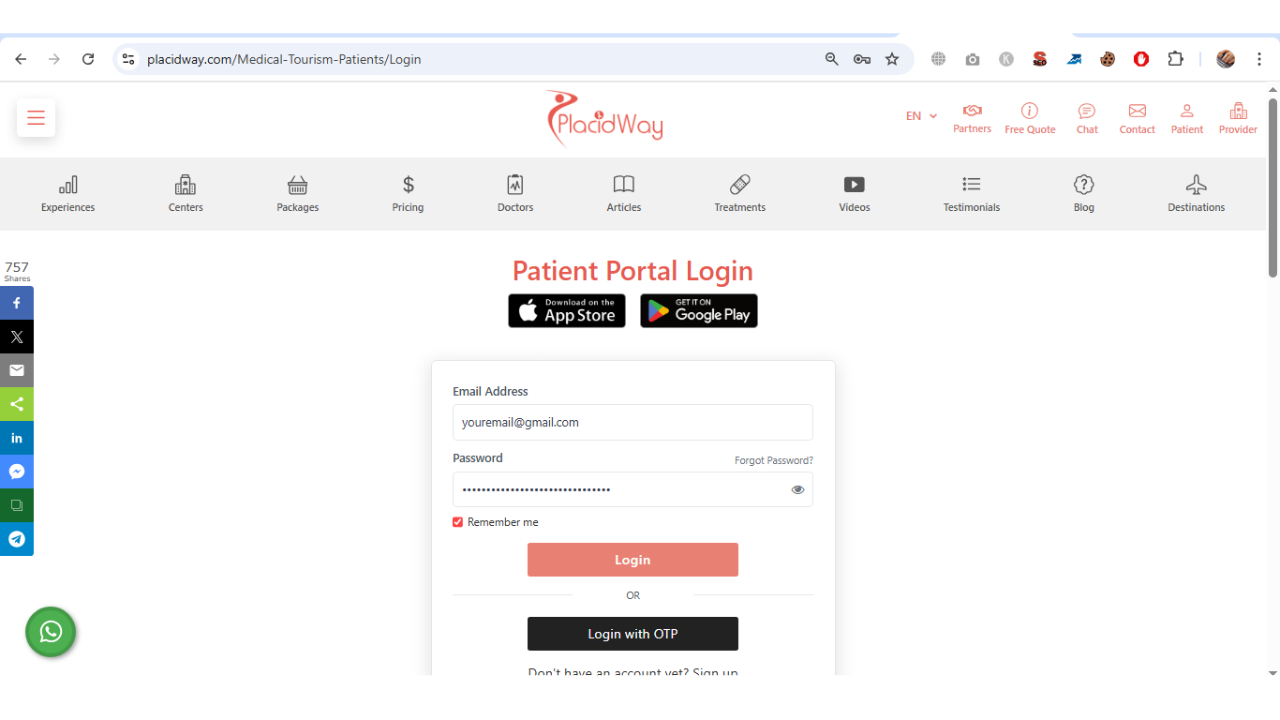
From your Patient Portal Dashboard, move your cursor and click the “Contact Center” button.
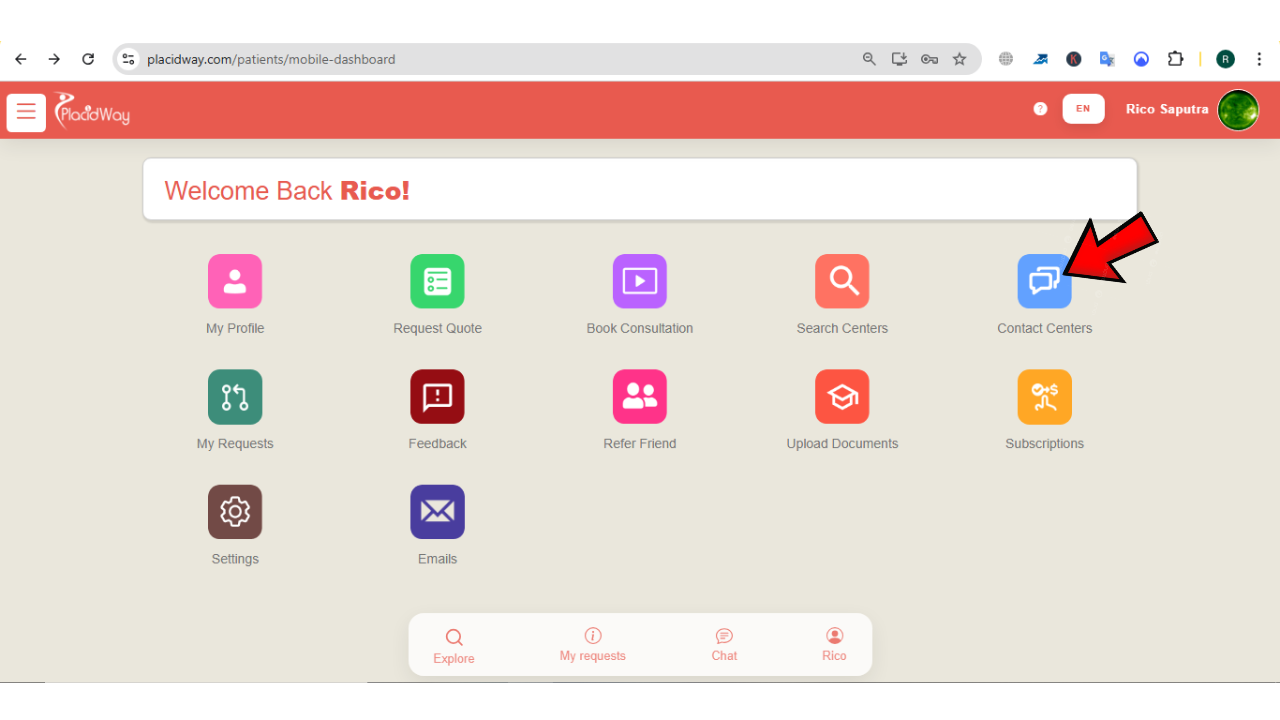
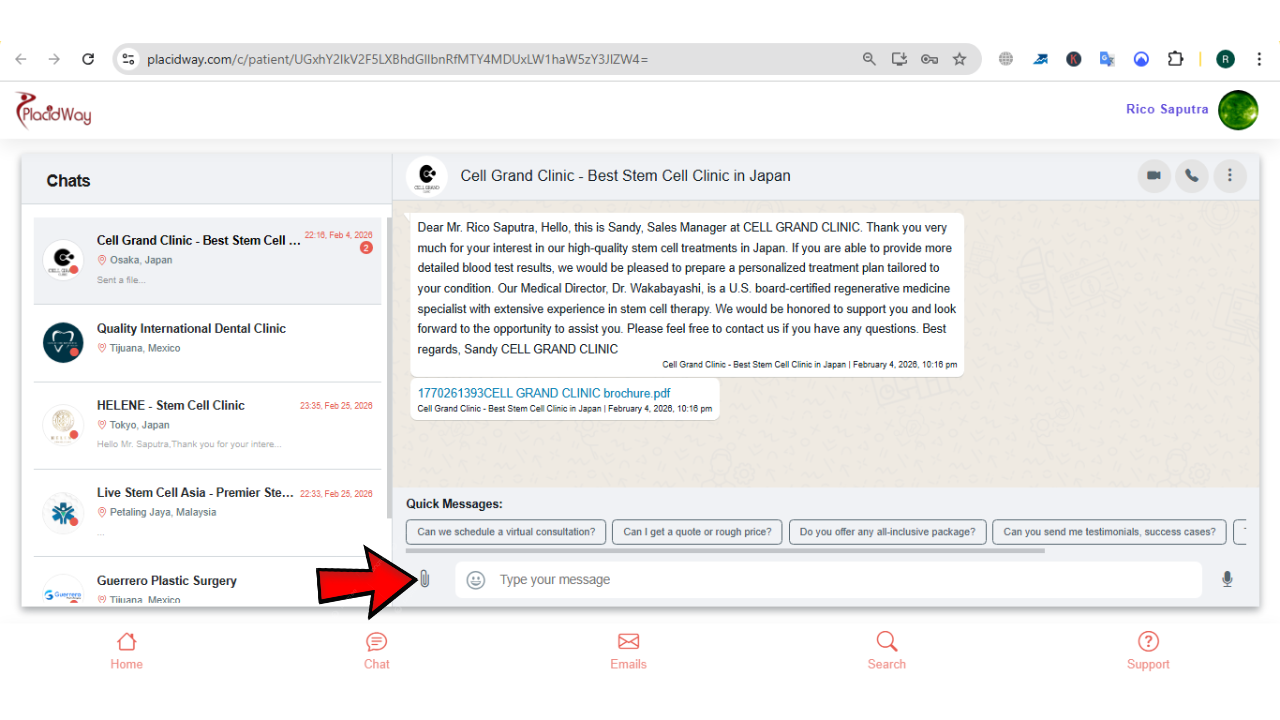
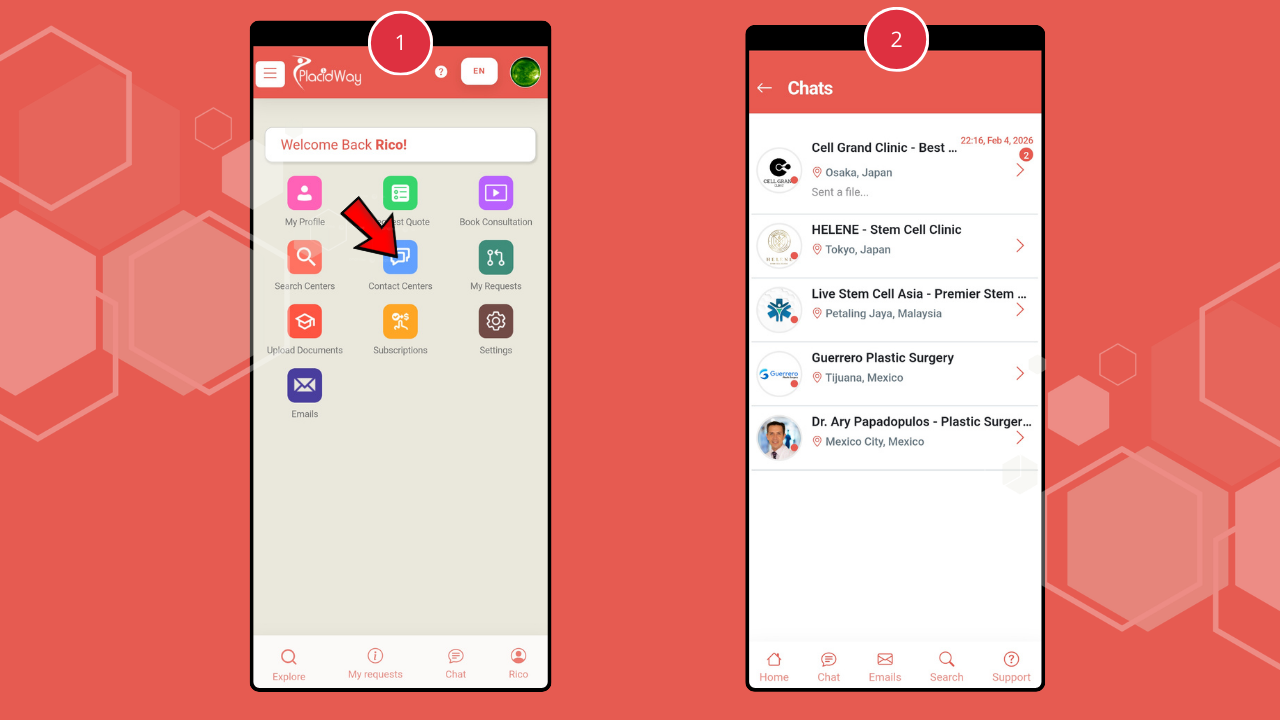
You will be directed to the “Chats” page, which works like a chat inbox. Here, you can view incoming messages from providers and send direct replies—similar to WhatsApp-style messaging.
Click on the provider you want to chat with and begin typing your message. Ask about prices, explain your health condition, or request specific details about procedures and packages. This is the perfect opportunity to discuss personalized treatment options tailored to your needs.
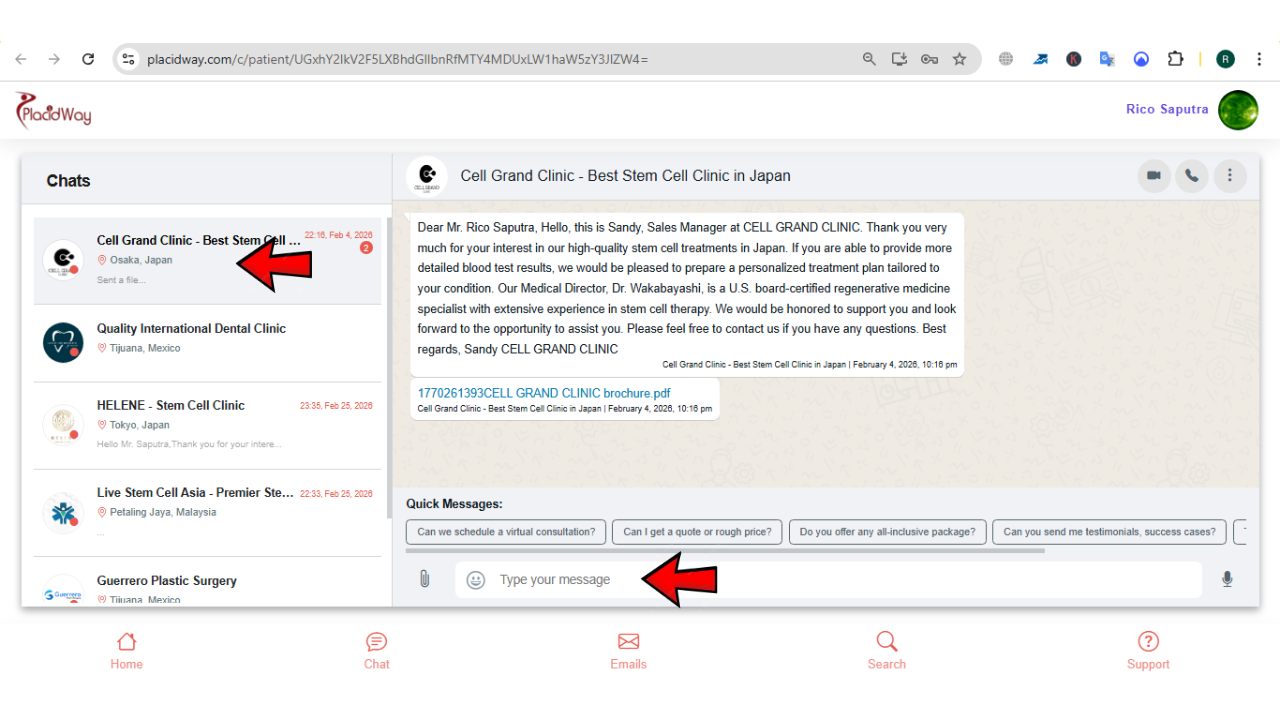
If necessary, click the “Attachment” button to upload important files such as medical history records, lab results, or photos of your condition. This helps providers better understand your case and give accurate recommendations.
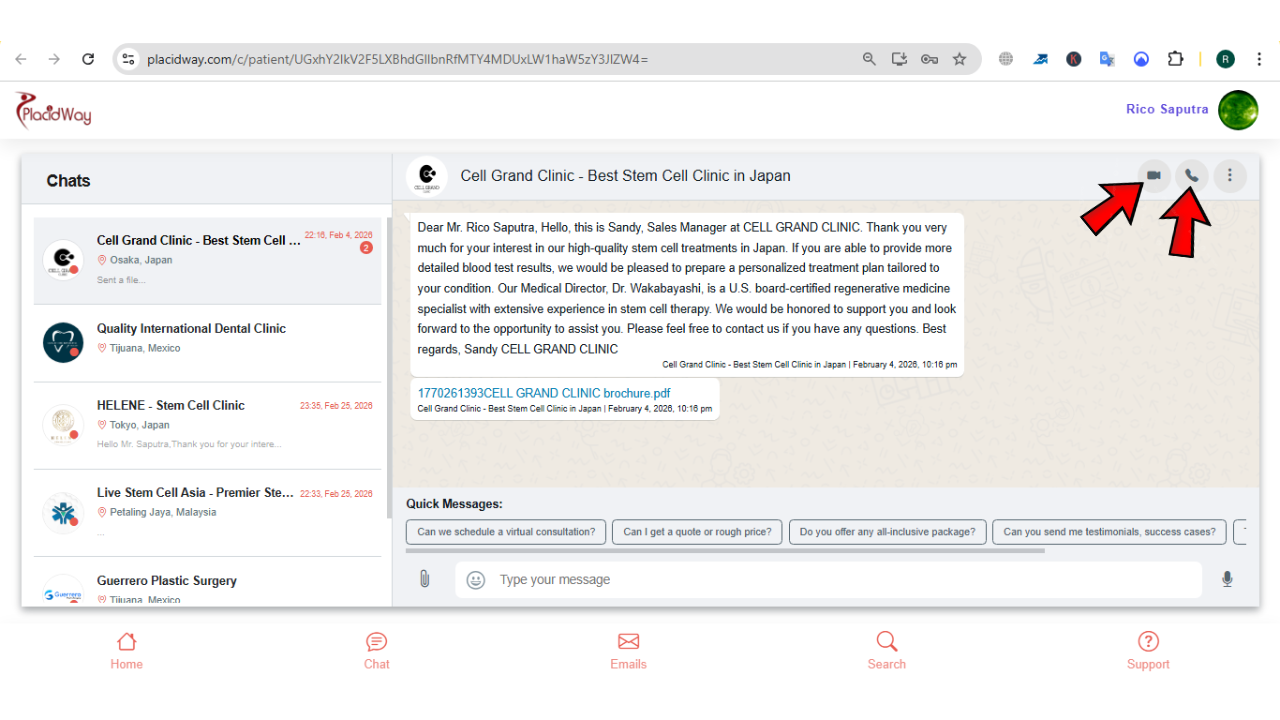
For more in-depth discussions, click the “Video” icon to start a Video Consultation or the “Phone” icon to begin an Audio Consultation directly with the provider.
Use PlacidCare to Chat via Smartphone
For patients who prefer mobile access, PlacidCare makes communication even more convenient. With the app installed on your smartphone, chatting with providers becomes fast, secure, and accessible anytime, anywhere.
Your Health, Simplified.
Get the PlacidCare app for a seamless medical journey right from your pocket.
Available now for Android and iOS
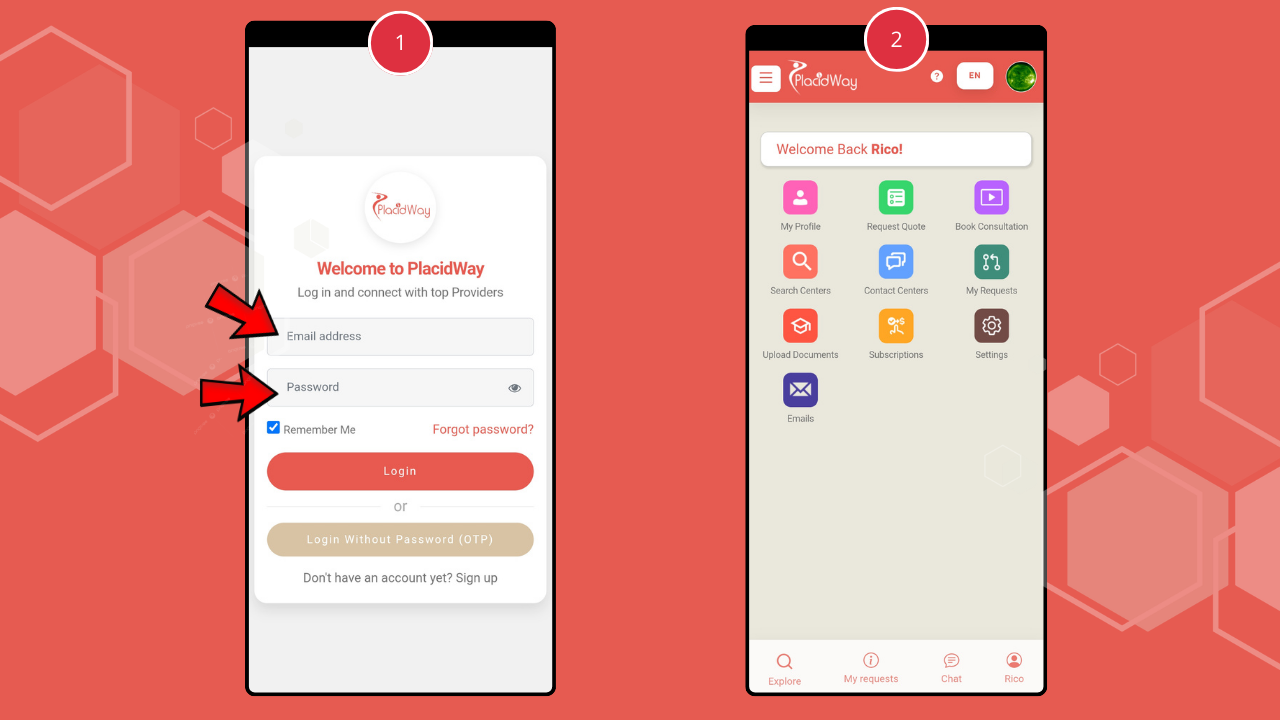
Once the PlacidCare app is installed, open it and log in using your registered email and password.
Tap the “Contact Center” button to start chatting with providers directly from your smartphone.
Why Chat with Providers Directly?
Get immediate answers about pricing, procedure details, and package inclusions.
Safely upload medical records and lab results so providers can give accurate recommendations.
Build a direct relationship with your medical team before traveling for treatment.
Seamlessly switch between text chat, audio calls, or video consultations as needed.
Start the Conversation and Move Forward
Direct messaging, file sharing, video consultations, and mobile access through PlacidCare make communication simple and efficient. Whether using the Patient Portal or the mobile app, patients can connect with providers instantly, discuss treatment details clearly, and take confident steps toward the right medical solution.
