

Master Your Patient Follow-Ups: A Step-by-Step PlacidWay Guide
The My Follow-Ups section is your smart hub for staying organized and prioritizing patients with the highest potential. By setting a “Next Contact Date” in each patient’s record, you ensure every lead appears in this list—so you never miss an important follow-up. With this feature, you can efficiently track, manage, and nurture your patients’ journey, saving time while boosting engagement and care quality.
Step 1: Access Your Account
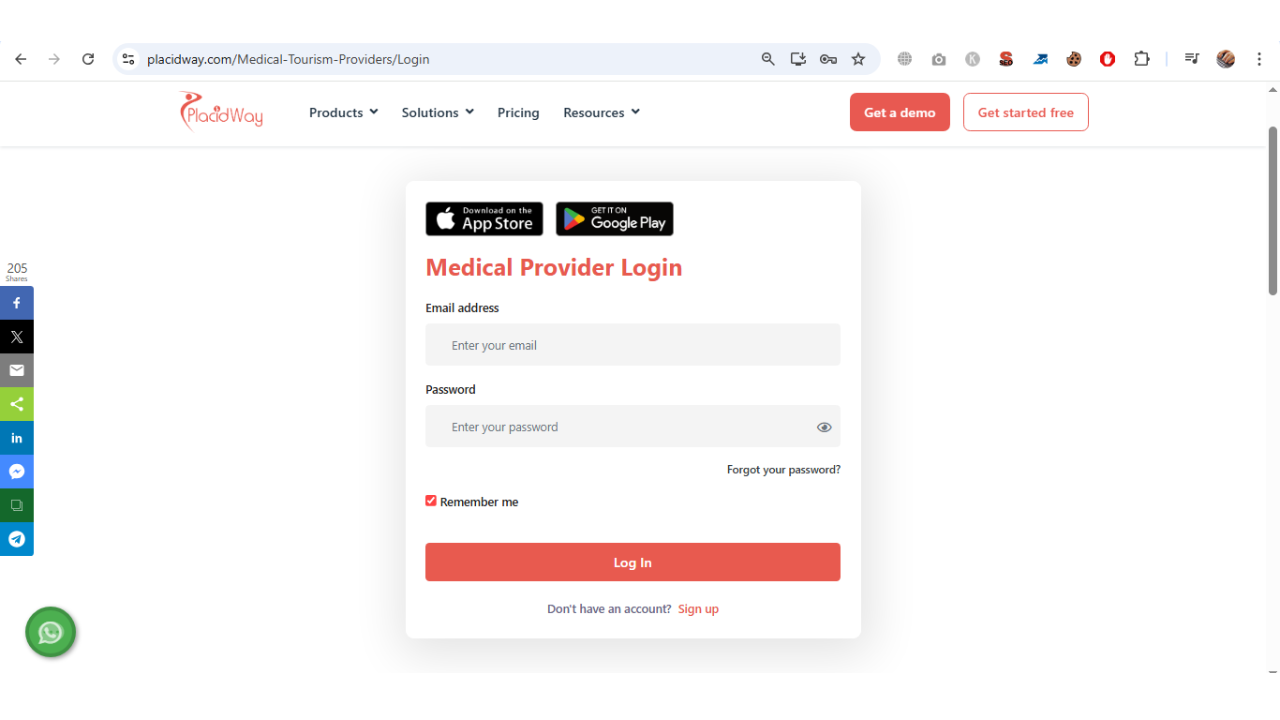
Log in to your PlacidWay account to access your secure dashboard and patient management tools.
Step 2 & 3: Locate and Open My Follow-Ups
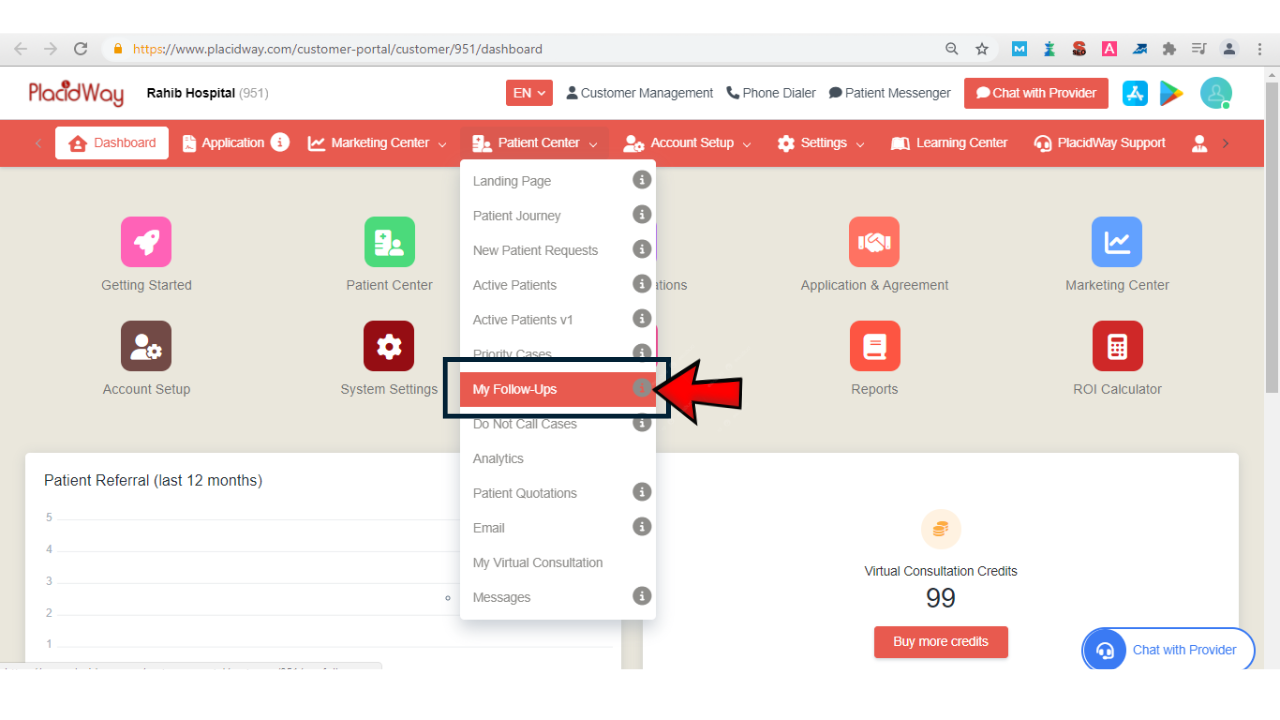
From the top menu under Patient Center, locate the ‘My Follow-Ups’ tab. Scroll down and click on ‘My Follow-Ups’ to open the section.
Step 4: Managing Follow-Up Records
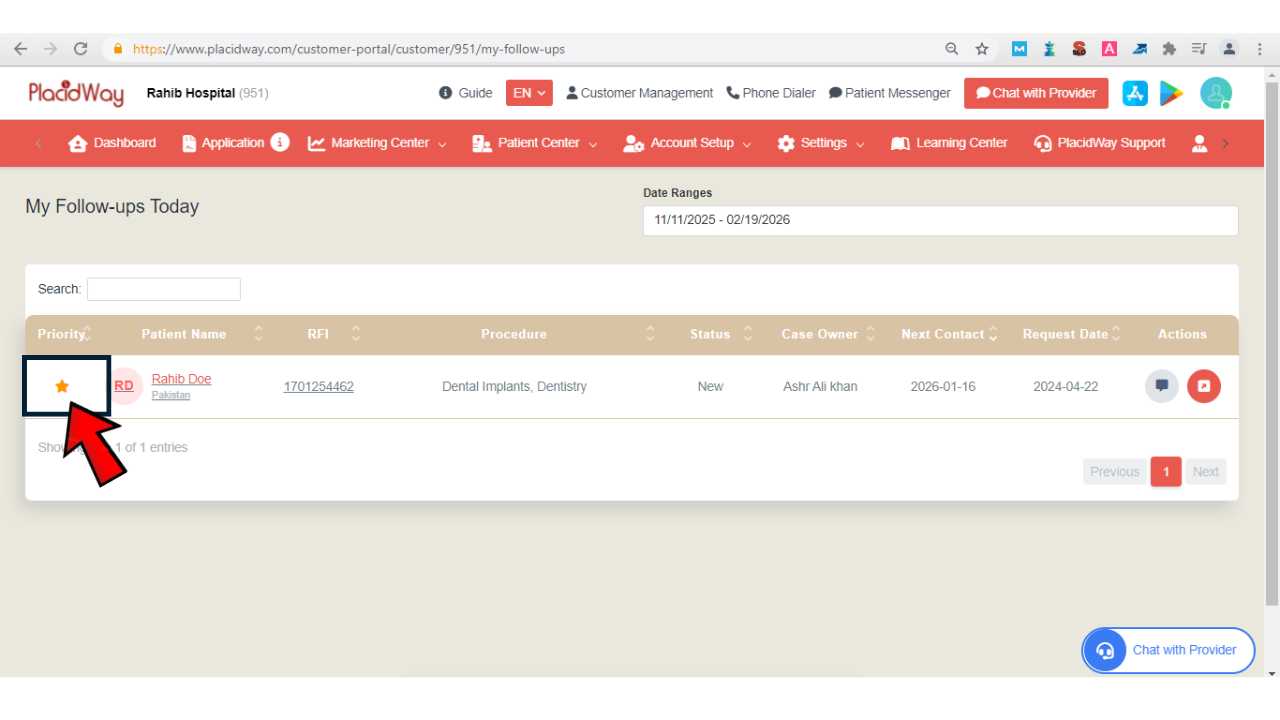
Once opened, your page will display all patients scheduled for follow-up. You can mark any record as a favorite by clicking the star icon.
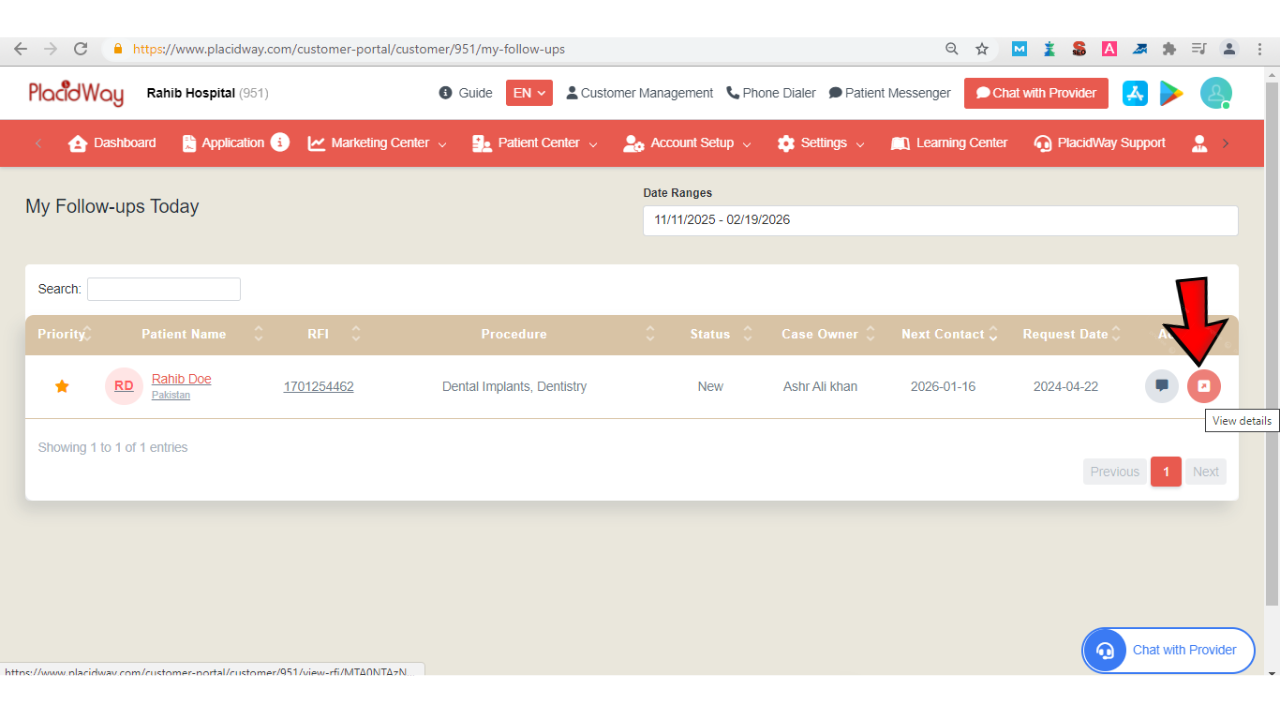
To view details of a patient record, click the “Details” button on the far right.
A new window will appear with the patient’s information. Within this window, you’ll see a “My Follow-Ups” button—click it to access that patient’s follow-up details.
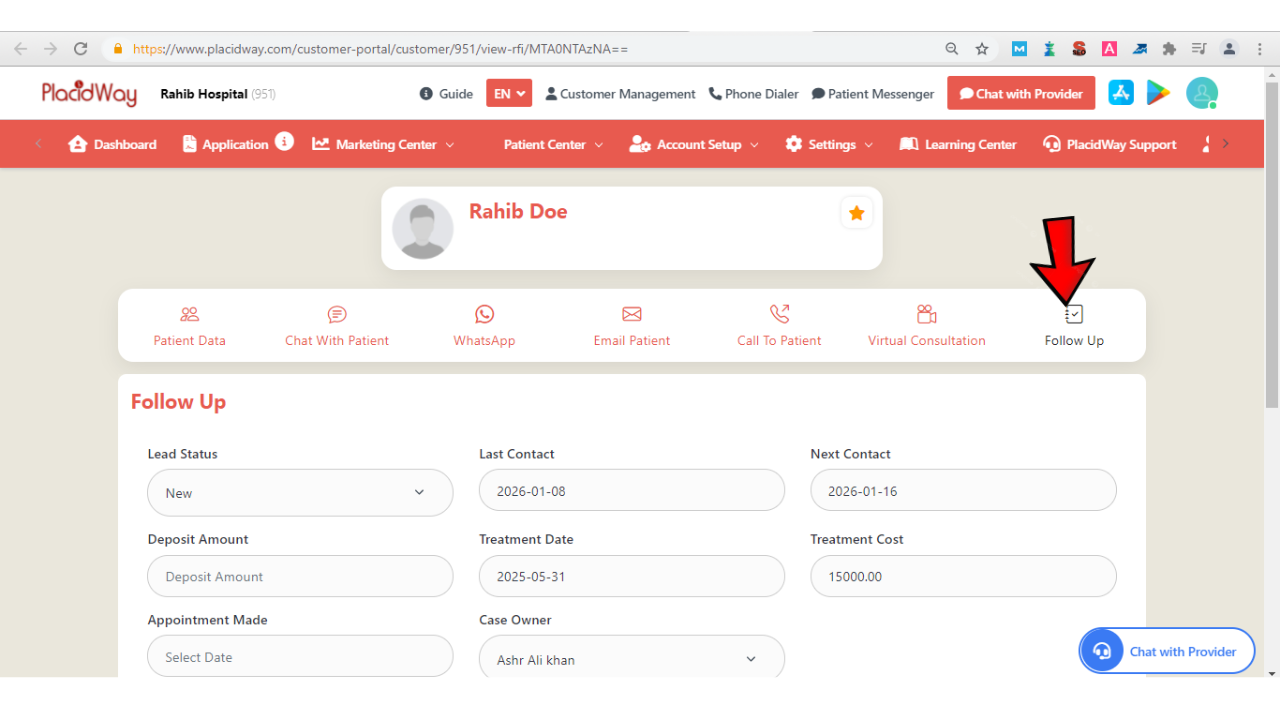
Step 5: Managing Lead Information
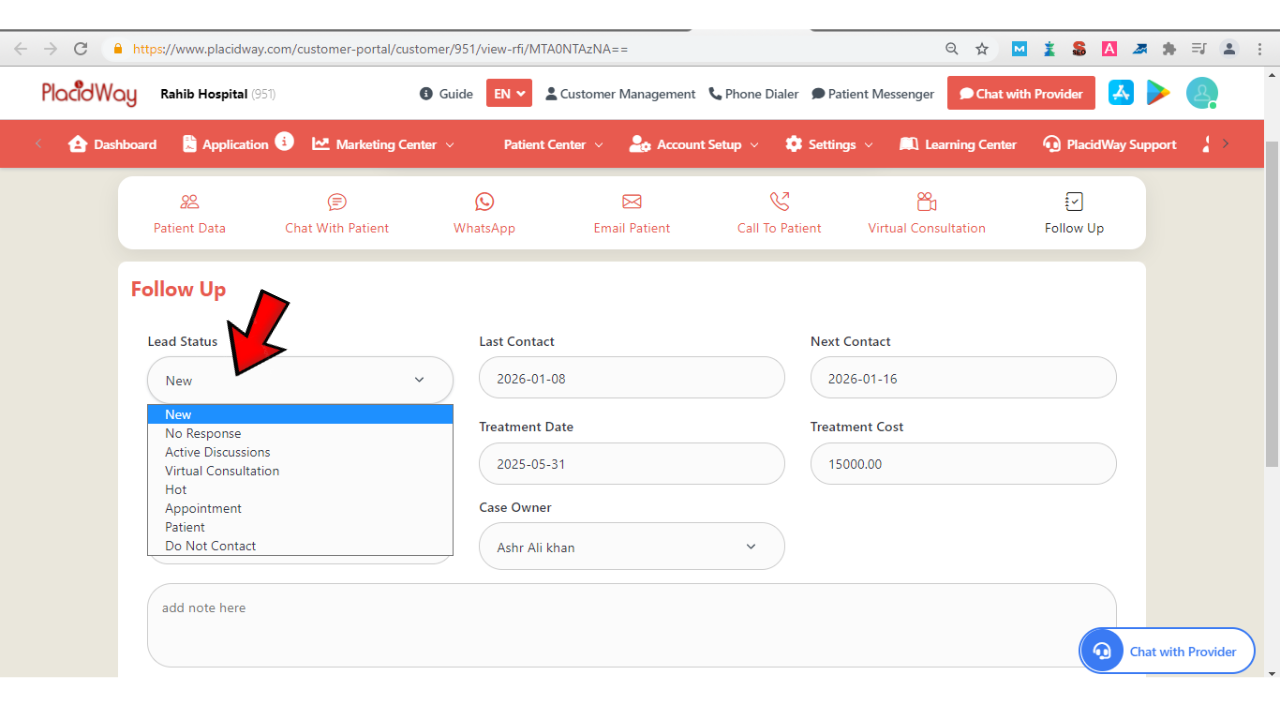
Lead Status: Use the dropdown to record the patient’s current status (e.g., New, No Response, Active Discussions, Appointment, Patient, Do Not Contact).
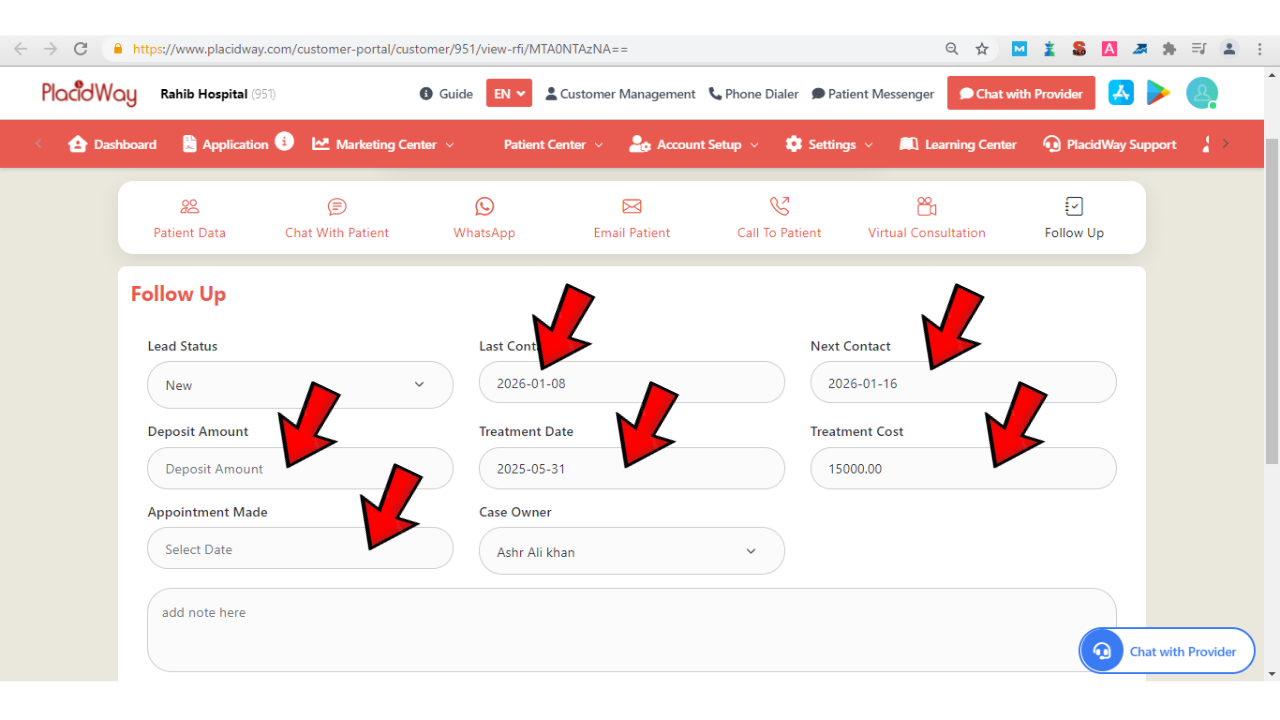
Detailed Records: Fill in the Last Contact, Next Contact (to keep them in your follow-up list), Deposit Amount, Treatment Data, Cost, and Appointment Date.
Case Owner: Assign the responsible staff member for this patient.
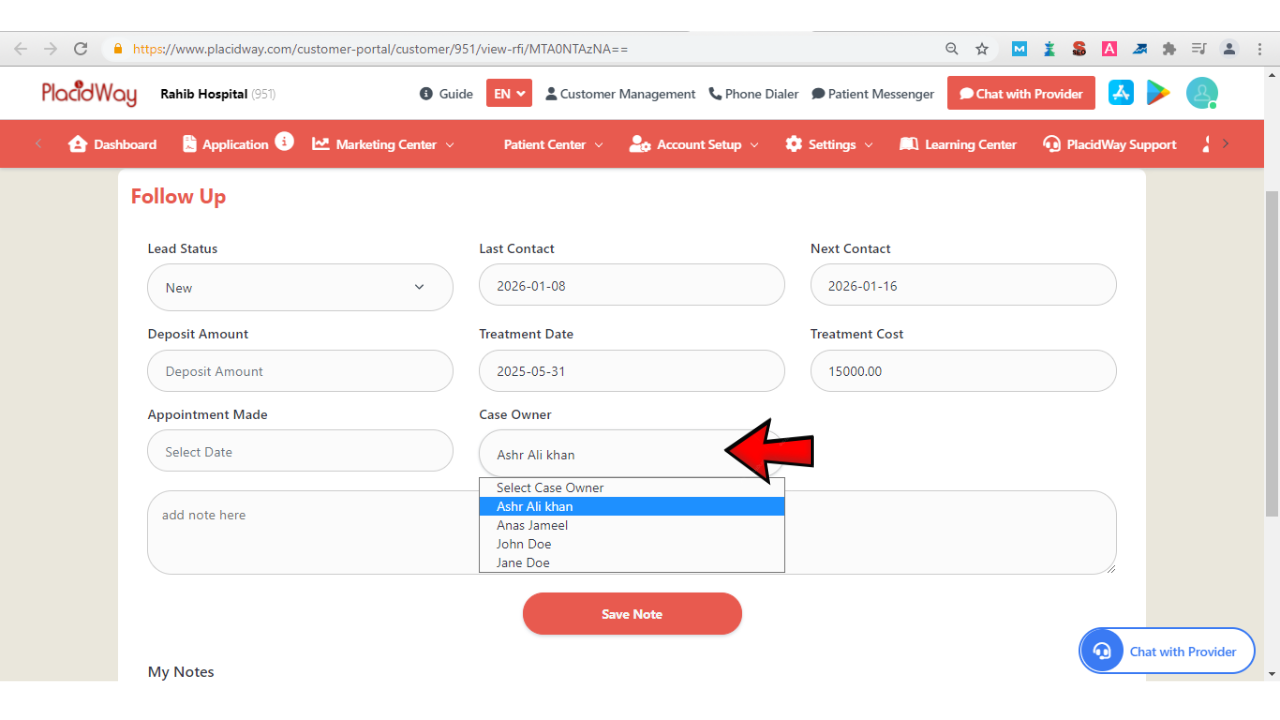
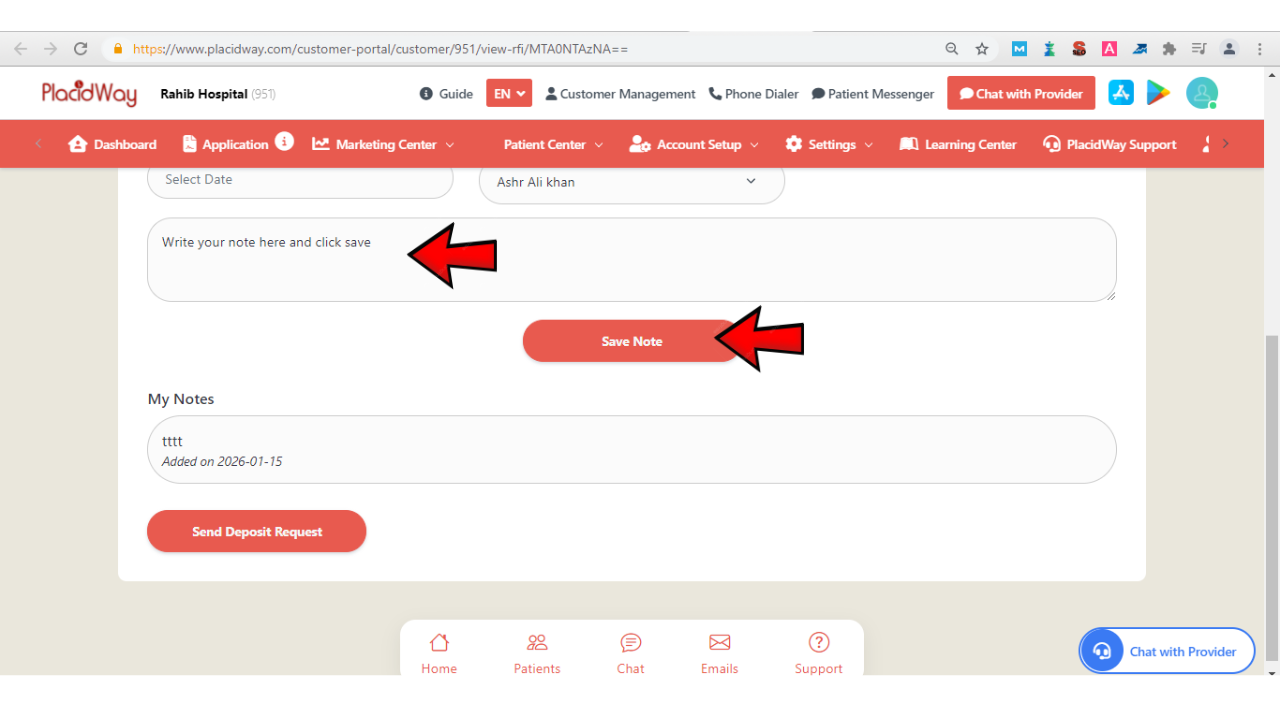
Add Note: Include any updates or important information about the patient’s journey, then click Save Note.
Why Use My Follow-Ups?
Automated reminders ensure every high-potential lead is contacted on time.
Keep all lead statuses, costs, and notes in one central, easy-to-access location.
Consistent engagement builds trust and moves patients closer to booking their treatment.
Efficient caseload management allows you to provide better, more personalized patient care.
Stay Organized and Never Miss a Follow-Up
The My Follow-Ups section helps you prioritize high-potential patients and manage your caseload efficiently. By recording key details and scheduling your next contact, you can maintain consistent communication, improve patient engagement, and ultimately enhance your conversion and care outcomes.
