

PlacidCare – Mobile App for Patients
PlacidCare is a powerful mobile application designed to help patients connect directly with trusted healthcare providers worldwide. Developed by PlacidWay, the app simplifies medical travel planning, provider communication, virtual consultations, and document sharing—all from a smartphone. With PlacidCare, managing treatment inquiries becomes faster, easier, and more organized.
What is PlacidCare?
PlacidCare is a mobile app created to support patients seeking medical treatments locally or internationally. It serves as a personal medical tourism assistant—brought to you by PlacidWay. With the PlacidCare app, patients can effortlessly stay connected to world-class healthcare providers anytime and anywhere. Designed to bridge the gap between patients and trusted medical centers, PlacidCare offers easy access to top-tier treatment options, transparent communication, and secure document sharing.
Key Benefits:
-
Direct connection with verified doctors, clinics, and hospitals
-
Secure upload and sharing of medical reports
-
Easy request for price quotations
-
Virtual consultation booking
-
Real-time chat and messaging with providers


Key Features and Functionality
1. Download and Install PlacidCare on your mobile device (iOS or Android).
2. Open the App and Login using your registered email and password. After logging in, you will be directed to the PlacidCare Dashboard.
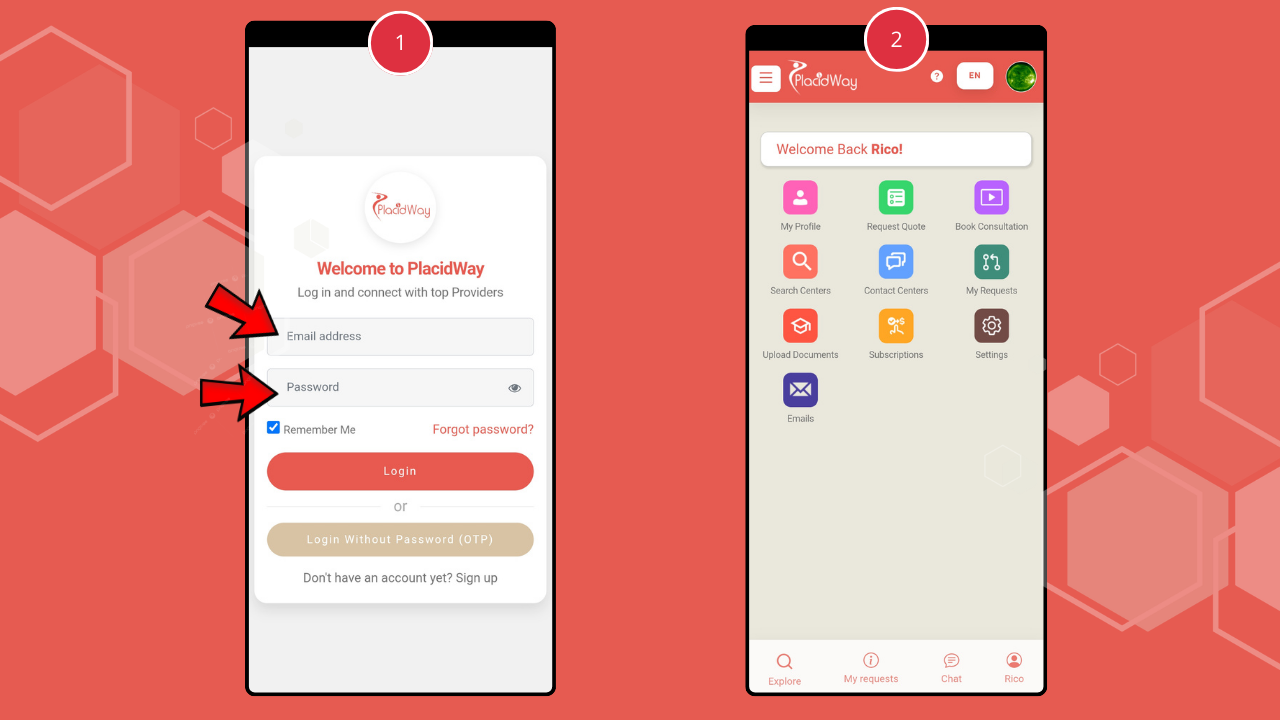
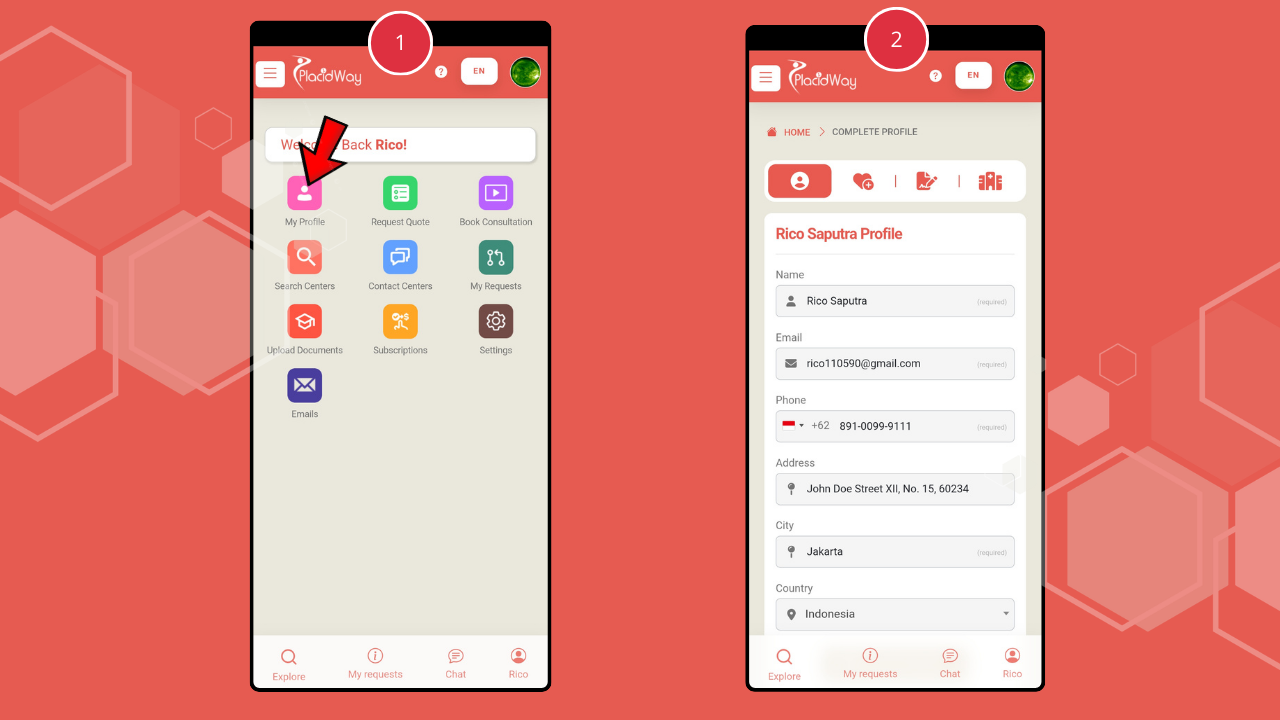
3. Click “My Profile” to complete personal information including name, email, phone, address, city, country, health summary, and upload reports.
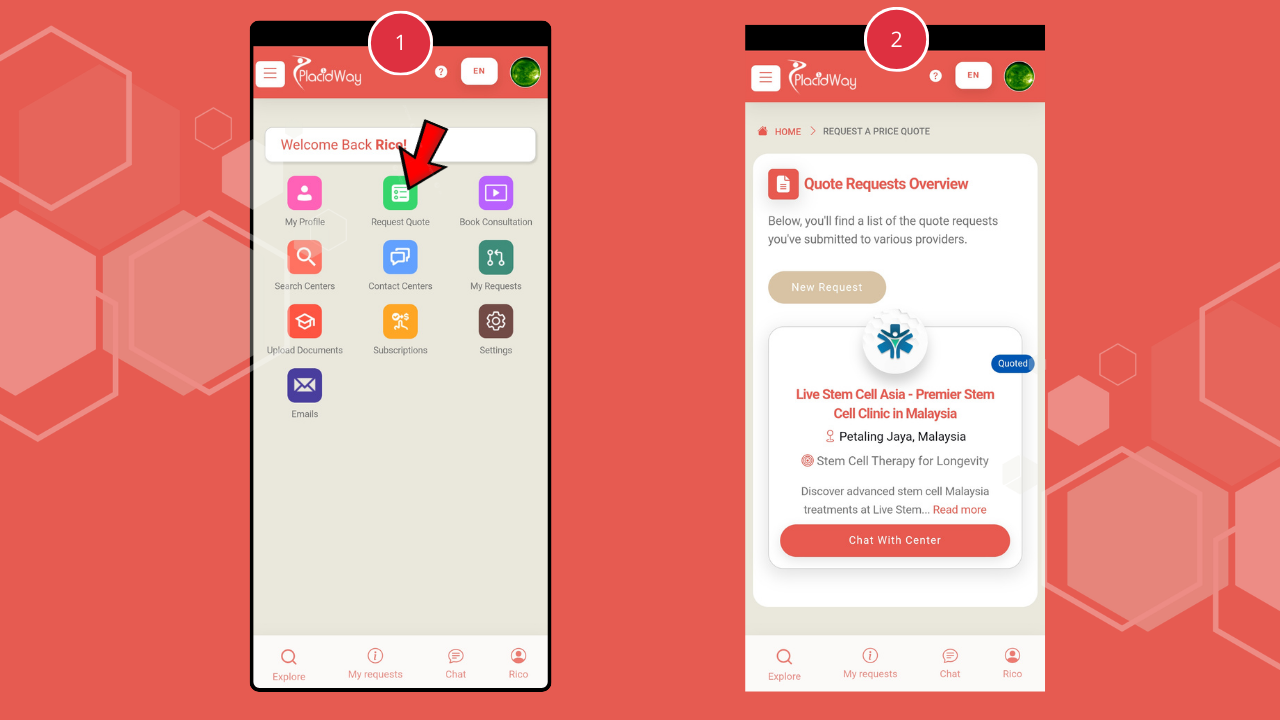
4. Click “Request Quote” to request price quotations from providers or chat directly with medical centers to receive treatment cost details.
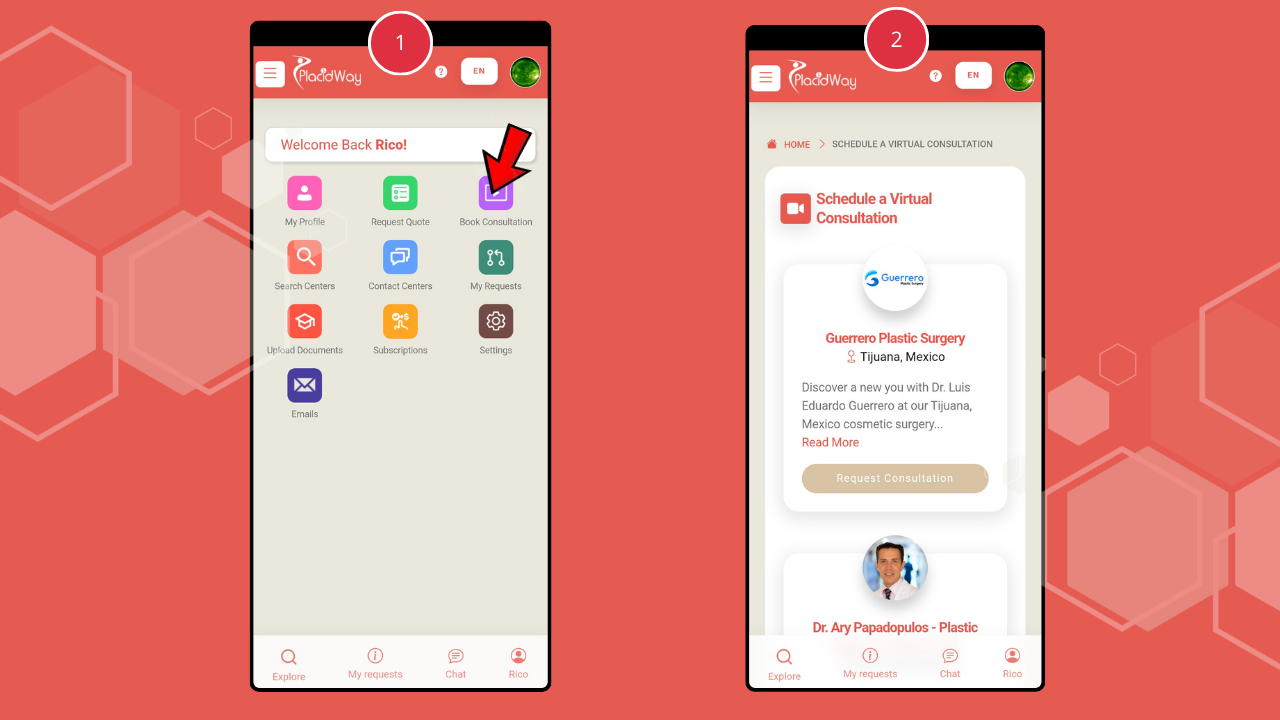
5. Click “Book Consultation” to schedule or manage virtual consultations with providers.
6. Click “Search Center” to find providers that match your procedure and preferred location. Fill in the treatment and destination details, then proceed to receive matching options and price quotations.
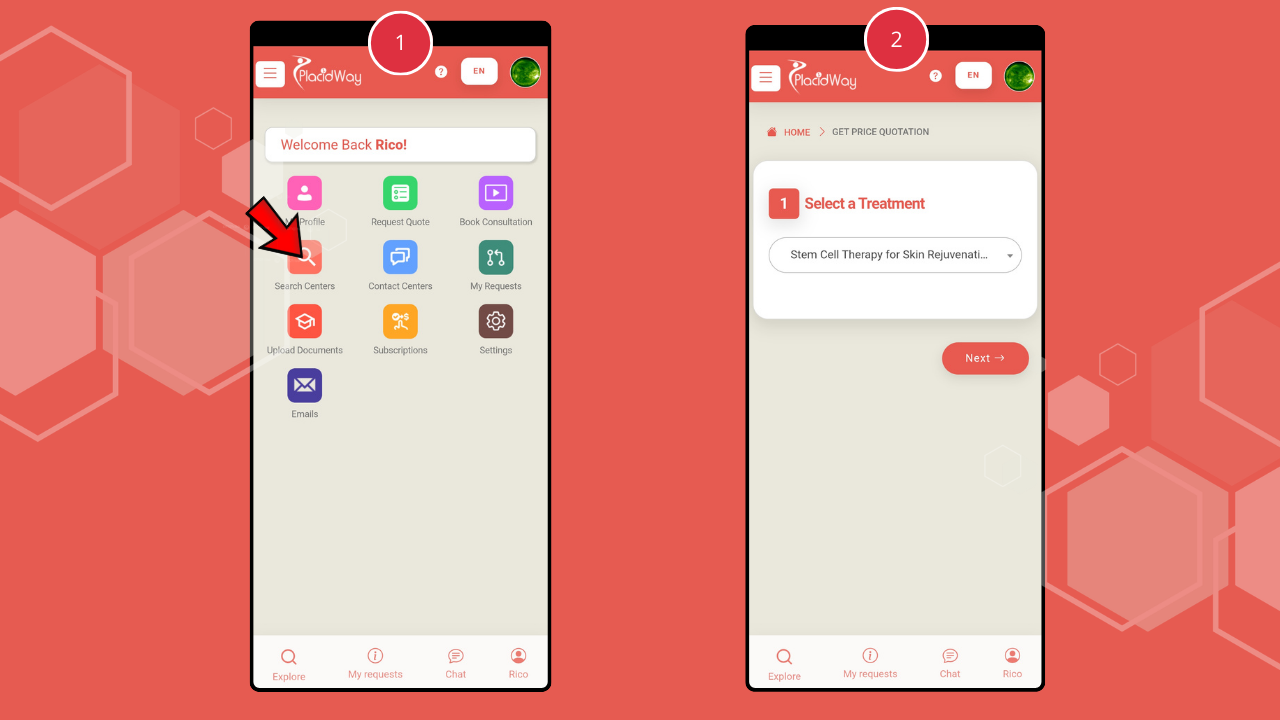
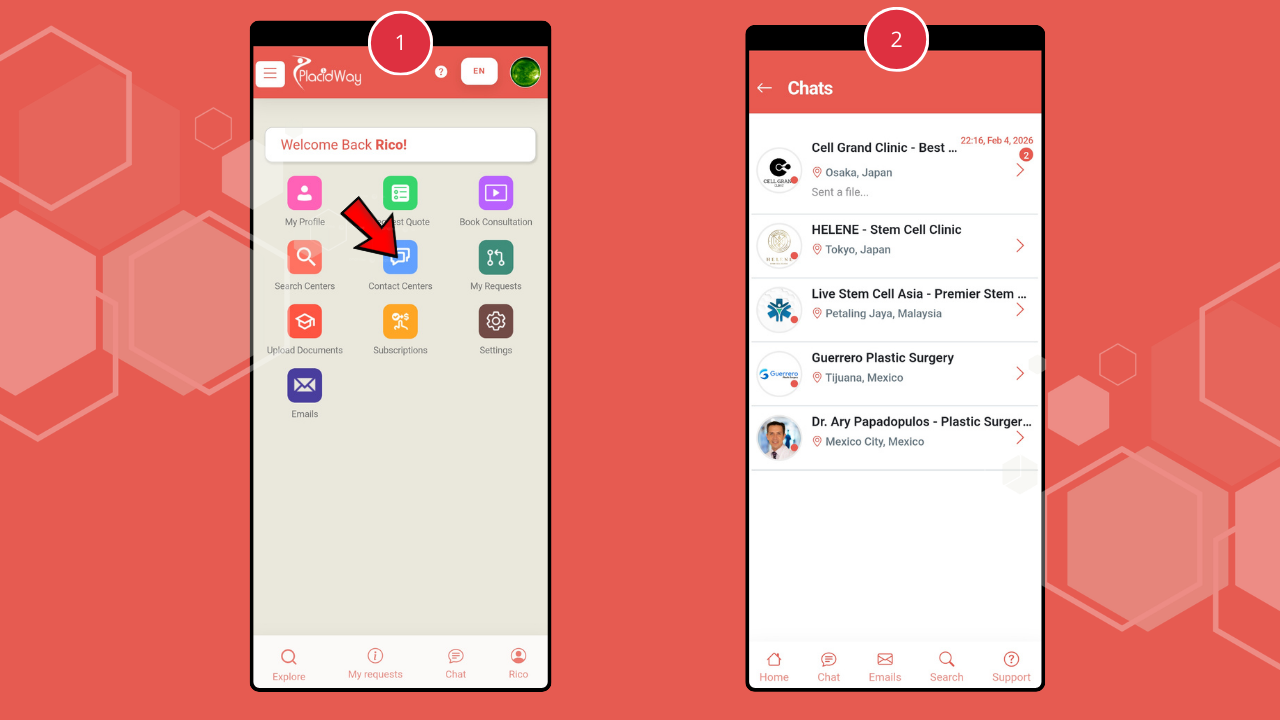
7. Click “Contact Center” to start chatting with providers.
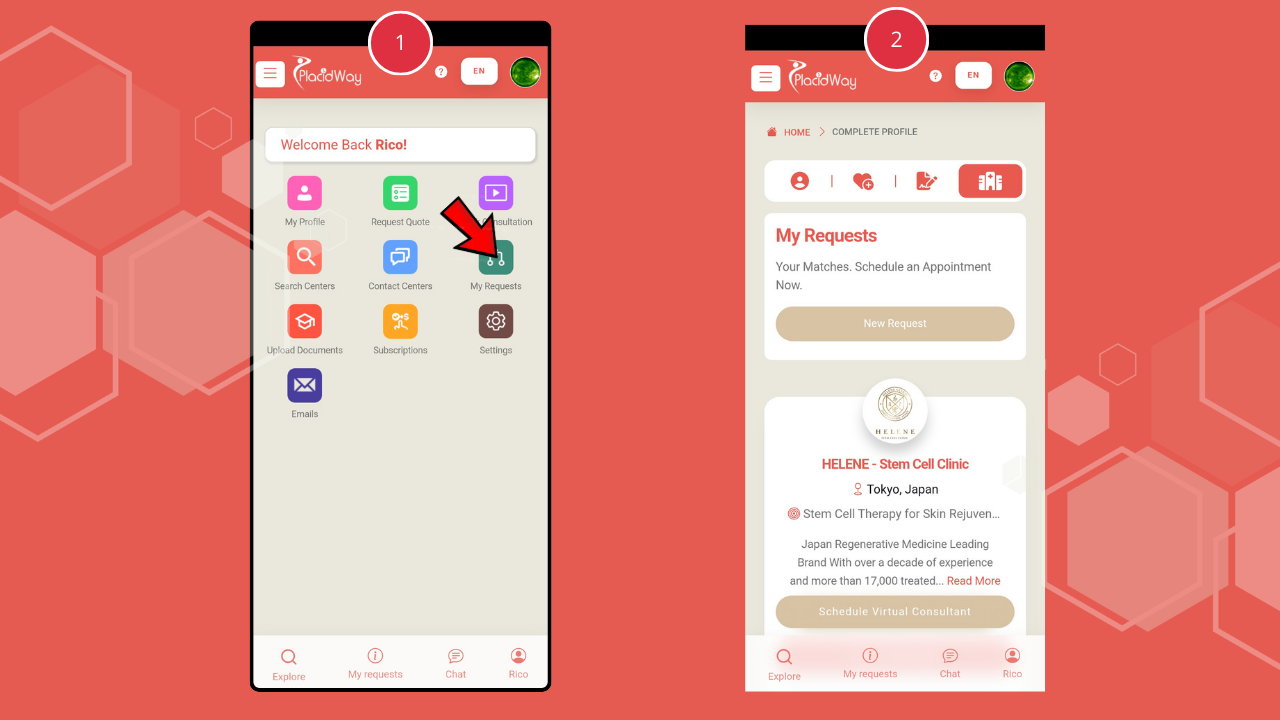
8. Click “My Requests” to manage and track doctor or clinic matches related to your treatment needs.
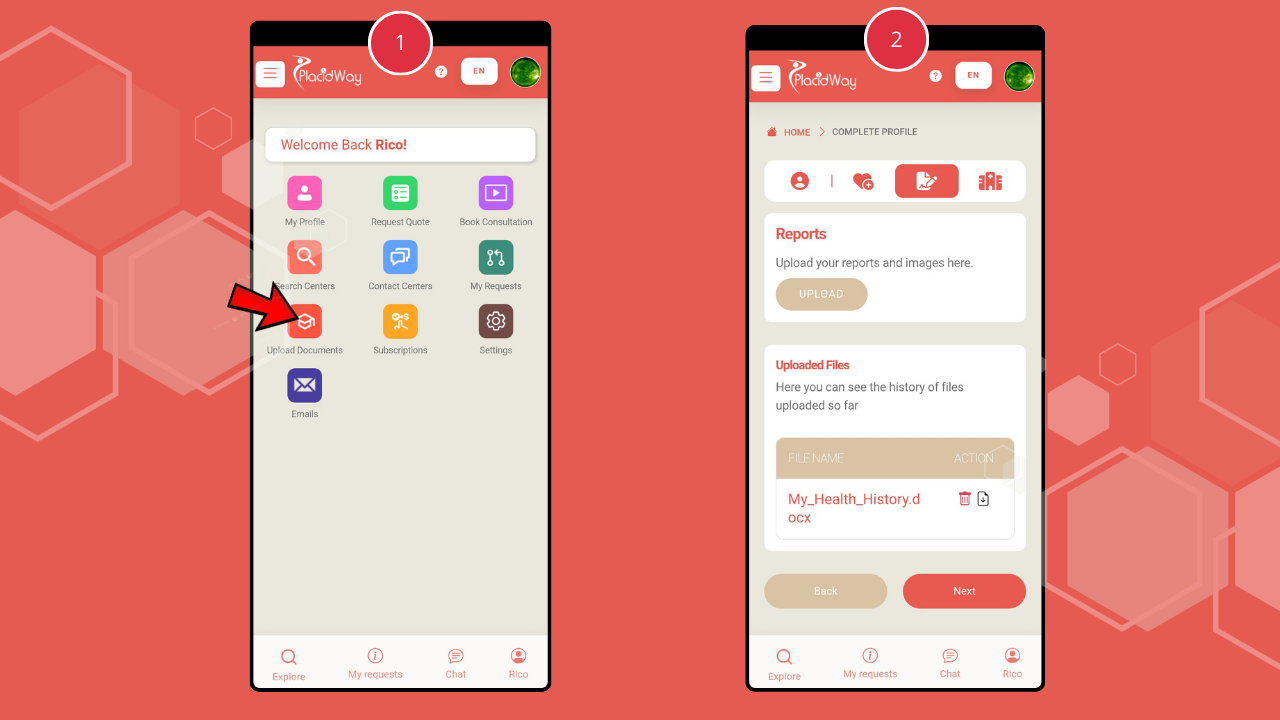
9. Click “Upload Documents” to securely upload medical reports and health history so providers can review your case and provide personalized recommendations.
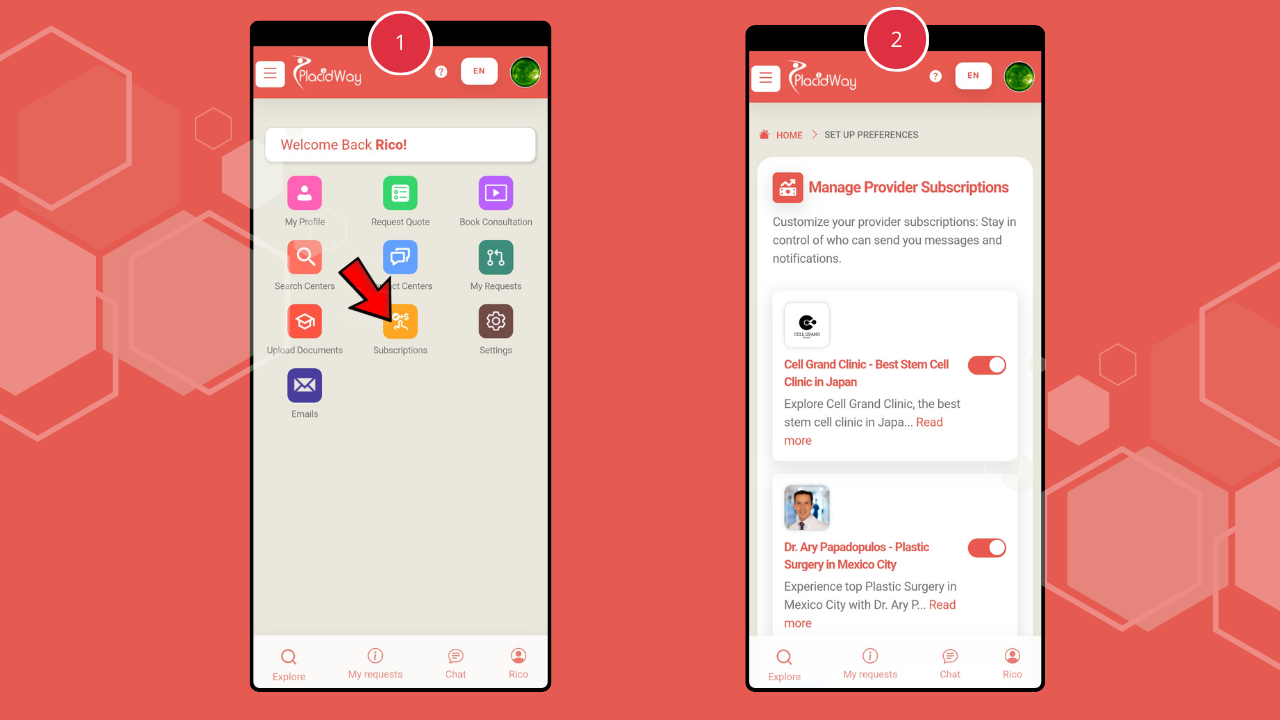
10. Click “Subscriptions” to manage provider subscriptions and control who can send messages or notifications.
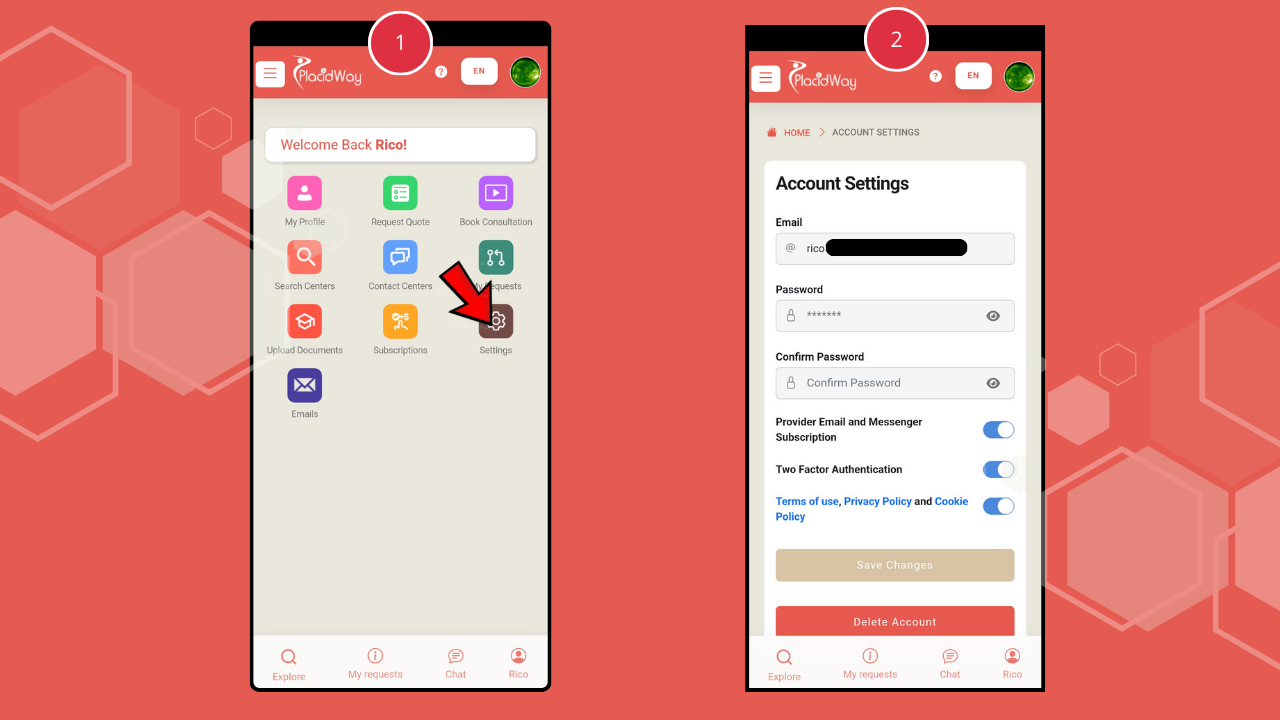
11. Click “Settings” to manage account preferences such as email, password, and Two-Factor Authentication.
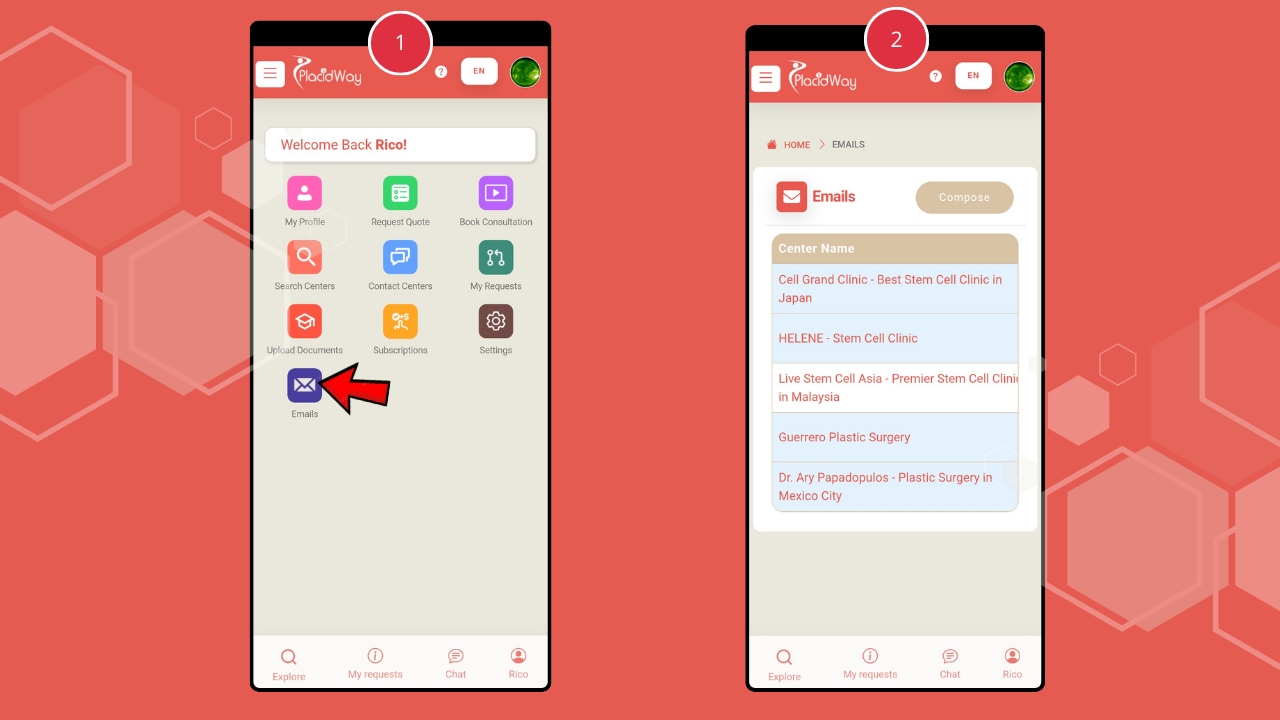
12. Click “Emails” to compose new emails, reply, or follow up on provider communications directly within the app.
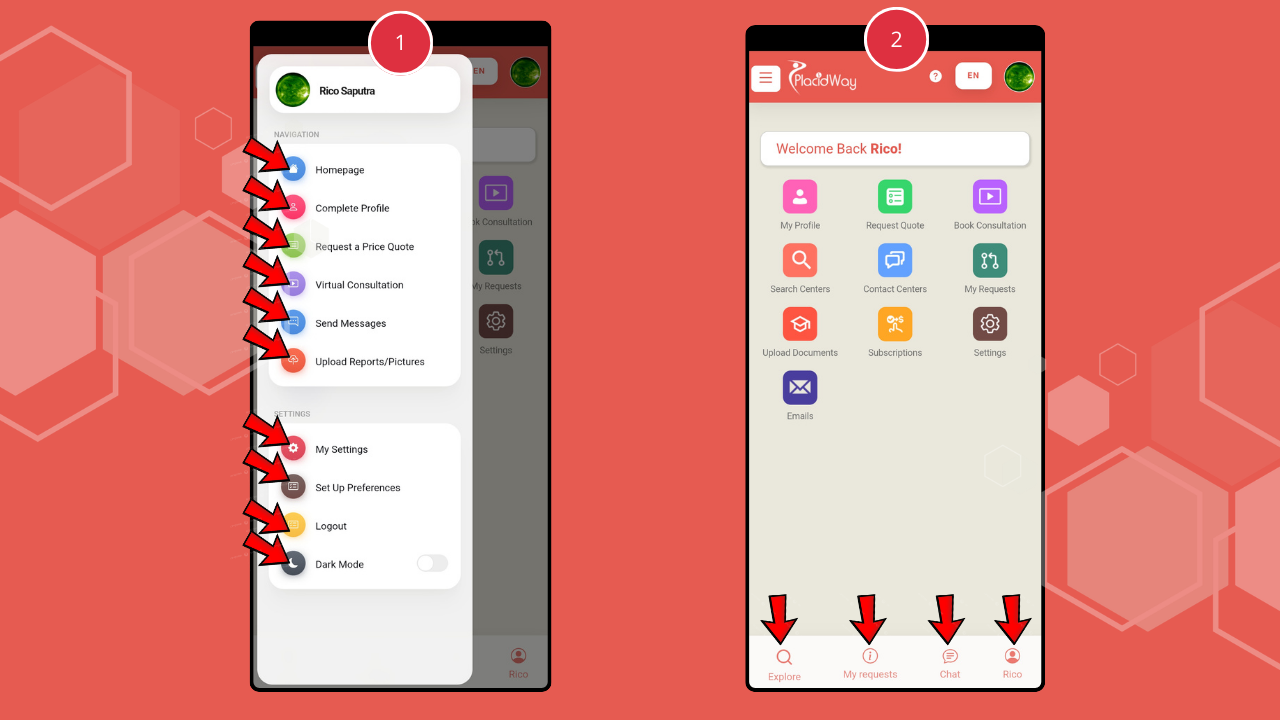
13. Use the Three-Dot Icon (Top Left) to open the sidebar and access options such as Homepage, Complete Profile, Request a Price Quote, Virtual Consultation, Send Messages, Upload Reports/Pictures, My Settings, Set Preferences, Logout, and Dark Mode.
14. Use the Bottom Tab Bar to quickly navigate between “Explore,” “My Request,” “Chat,” and “Profile.”
Why Use the PlacidCare App?
Connect with verified medical providers across the globe right from your pocket.
Real-time chat and virtual consultations mean no more waiting for days to get an answer.
Securely store and share medical reports, quotations, and health summaries in one place.
Track requests and manage your medical travel itinerary with total transparency.
Start Your Medical Journey with PlacidCare Today
Download PlacidCare now and take full control of your healthcare journey. Connect with trusted providers, request quotes, schedule consultations, and manage your medical documents—all in one secure and convenient mobile app. Your personalized medical support system is just a tap away.
