

Complete Patient Profile for Accurate Doctor Matching
Completing the patient profile in the PlacidWay Patient Portal is an essential step before connecting with doctors, clinics, or hospitals. A complete profile that includes personal data, health history, treatment preferences, and medical reports helps medical providers understand your condition clearly and match you with the most suitable specialists.
The more detailed and accurate the information provided, the more precise and personalized the treatment recommendations will be.
1. Complete Patient Profile Personal Data
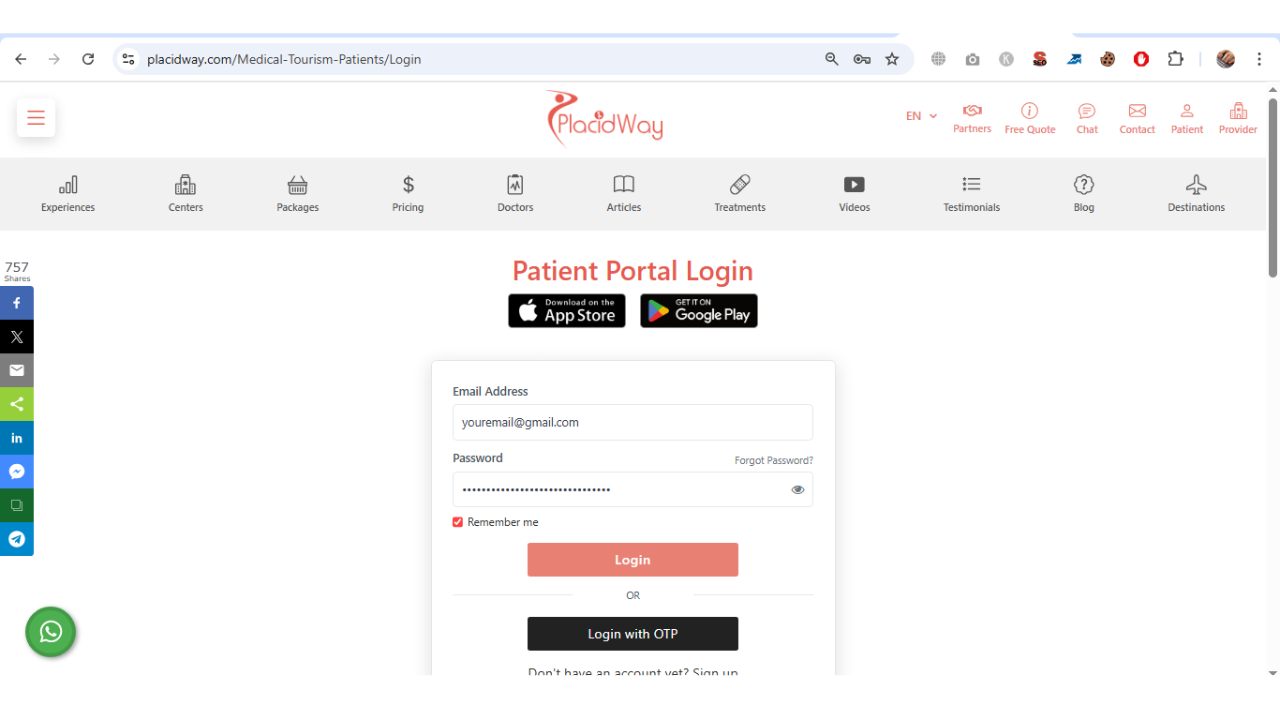
Begin with Login to Your PlacidWay Patient Portal
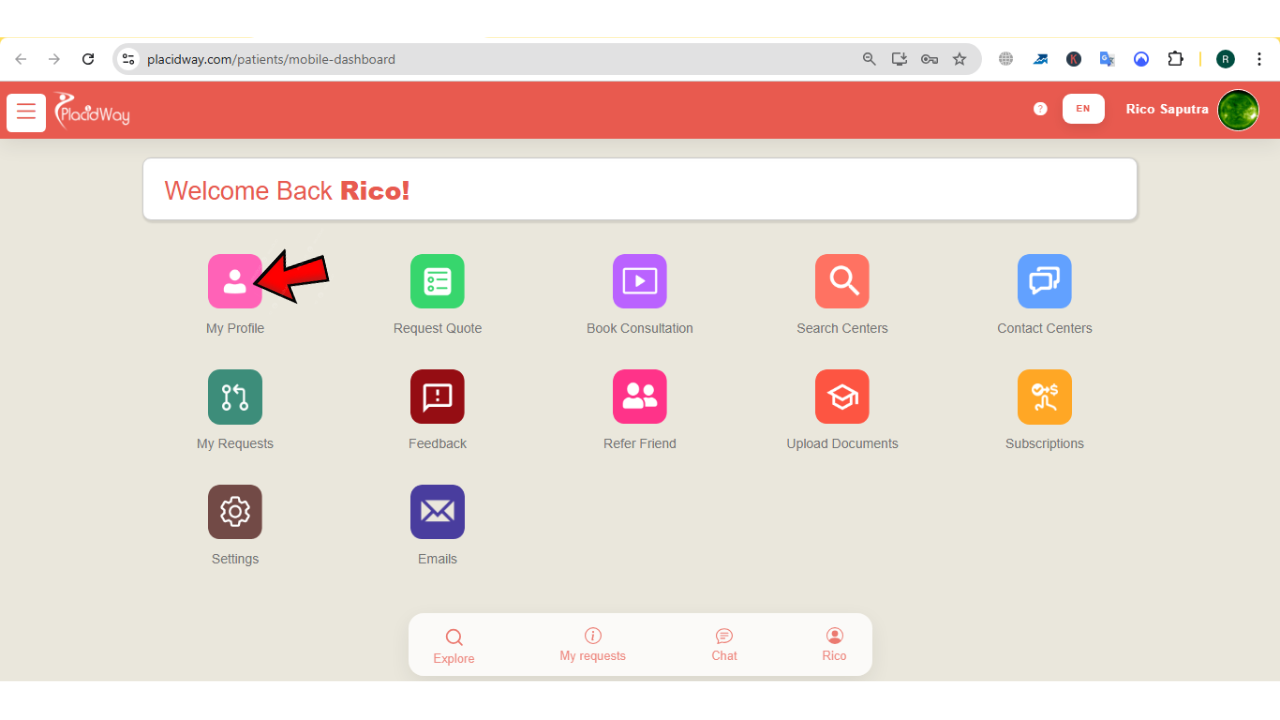
On your PlacidWay Patient Portal Dashboard click "My Profile".
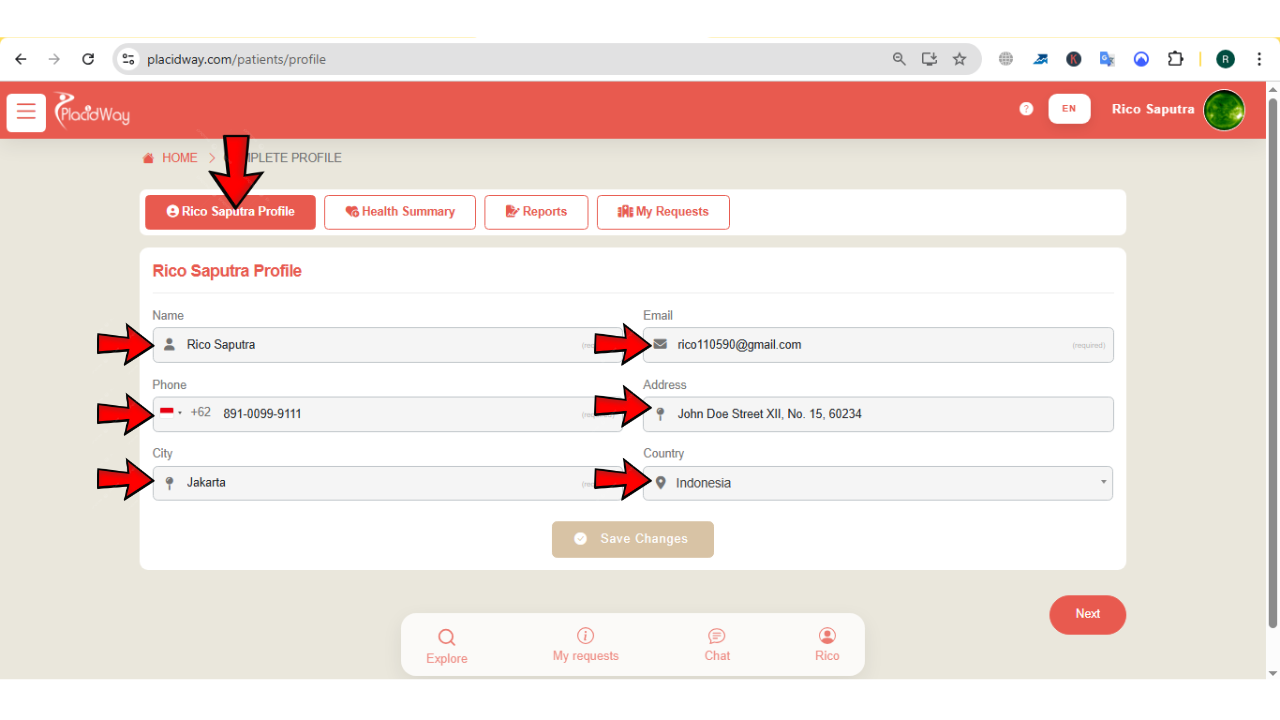
Start by filling in your personal information accurately. This ensures smooth communication and proper coordination throughout your medical journey:
-
Name: Enter your full legal name as it appears on your identification or passport.
-
Email: Provide an active email address for receiving treatment updates, quotes, and consultation invitations.
-
Phone: Enter a valid phone number with country code for faster communication and urgent follow-ups.
-
Address: Provide your current residential address for record accuracy.
-
City: Enter the city where you currently reside.
-
Country: Select your country of residence to help determine travel and provider options.
Make sure to use an active phone number and email address to ensure the support team and medical providers can contact you regarding consultations, treatment plans, and important updates. Once done click "Save Changes".
2. Complete Health History
This section contains several important questions designed to help providers assess your medical needs. To make it easier, the information is organized into two key sections:
Treatment Details and Medical Overview
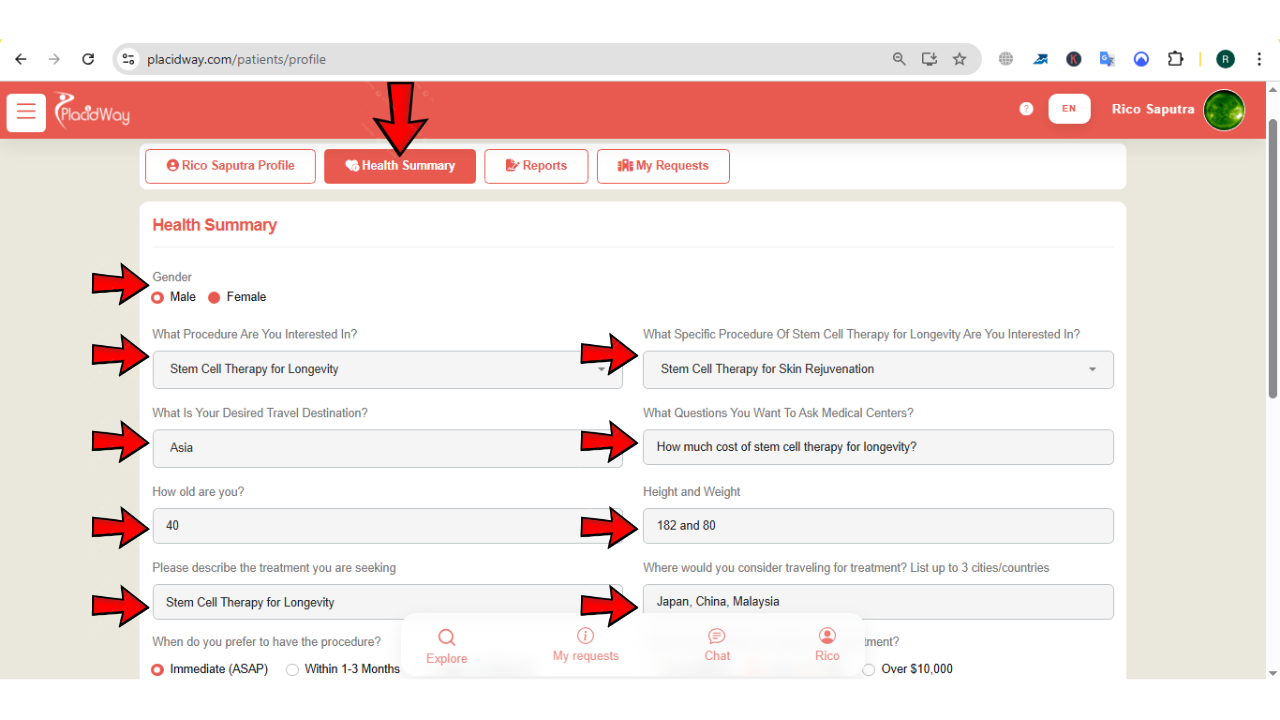
Move your cursor and click the "Health Summary" tab. Complete the following:
-
Your Gender: Choose between male or female.
-
What procedure are you interested in: Specify the main treatment category (e.g., orthopedic, fertility, cosmetic).
-
What specific procedure: Provide the exact treatment name if known.
-
Desired travel destination: Indicate the country or city preferred for treatment.
-
What questions you want to ask medical centers: List important concerns regarding procedure, recovery, risks, or costs.
-
How old are you: Enter your current age.
-
Height and Weight: Provide accurate measurements for medical evaluation.
-
Describe treatment you are seeking: Briefly explain your condition and treatment expectations.
-
Where would you consider traveling for treatment: List up to three preferred cities or countries.
Travel Readiness and Medical Background
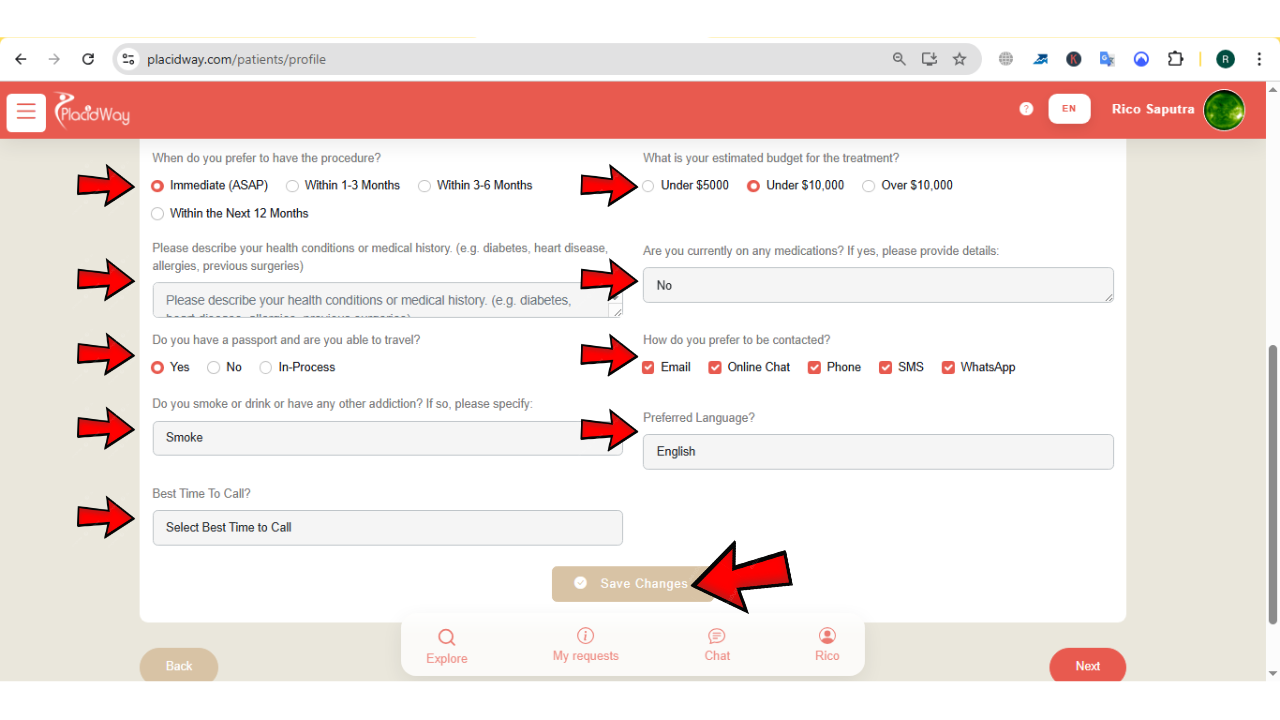
Provide additional details to help providers understand your case more comprehensively:
-
Preferred treatment timeline: Choose between ASAP, within 1–3 months, 3–6 months, or within 12 months.
-
Estimated budget for treatment: Select under $5,000, under $10,000, or over $10,000.
-
Describe health conditions or medical history: Include diabetes, heart disease, allergies, previous surgeries, or other relevant conditions.
-
Current medications: List any medications being taken regularly.
-
Passport and travel readiness: Indicate yes, no, or in process.
-
Preferred contact method: Email, Online Chat, Phone, SMS, or WhatsApp.
-
Lifestyle factors: Indicate smoking, alcohol use, or other addictions if applicable.
-
Preferred language: Select your communication language.
-
Best time to call: Morning, Afternoon, Evening, or Anytime.
Providing complete and honest information ensures safer and more accurate medical recommendations. Once done click "Save Changes".
3. Complete Reports
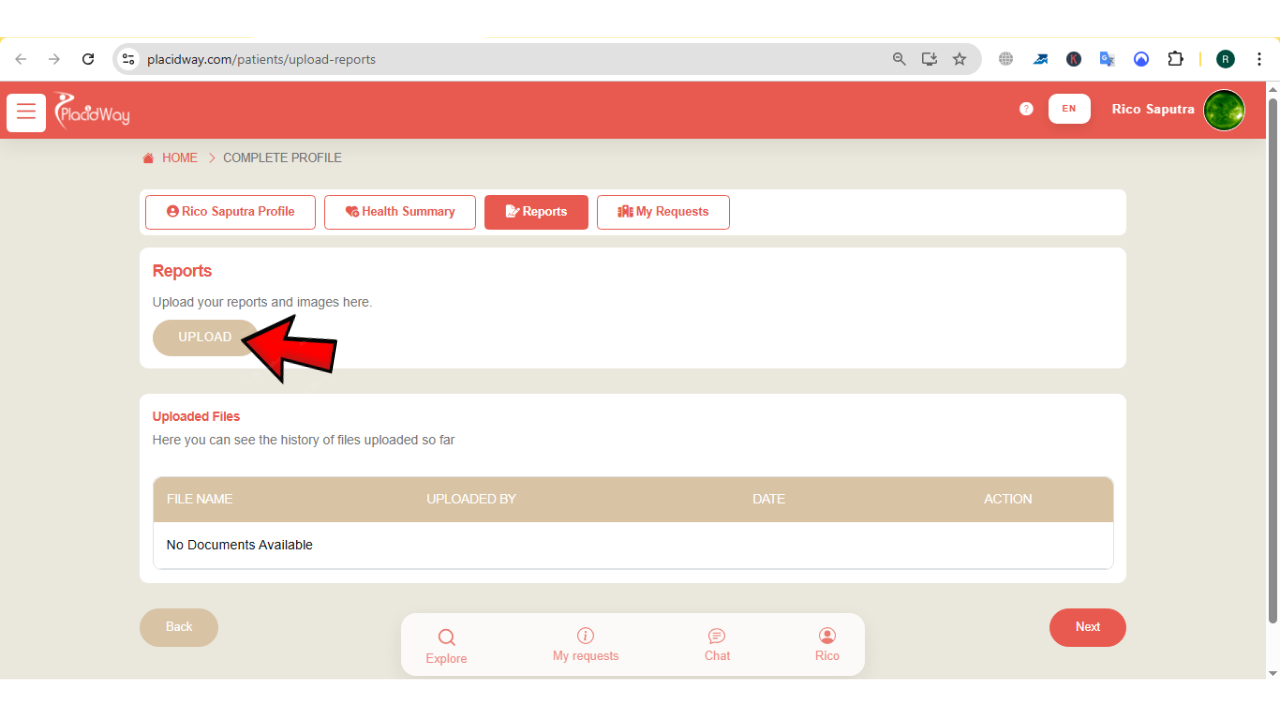
Uploading medical reports allows providers to review diagnostic results and better assess your condition. Move your cursor and click the "Reports" tab.
• Click the "Upload" button to begin uploading medical reports, lab results, imaging scans, or previous treatment records.
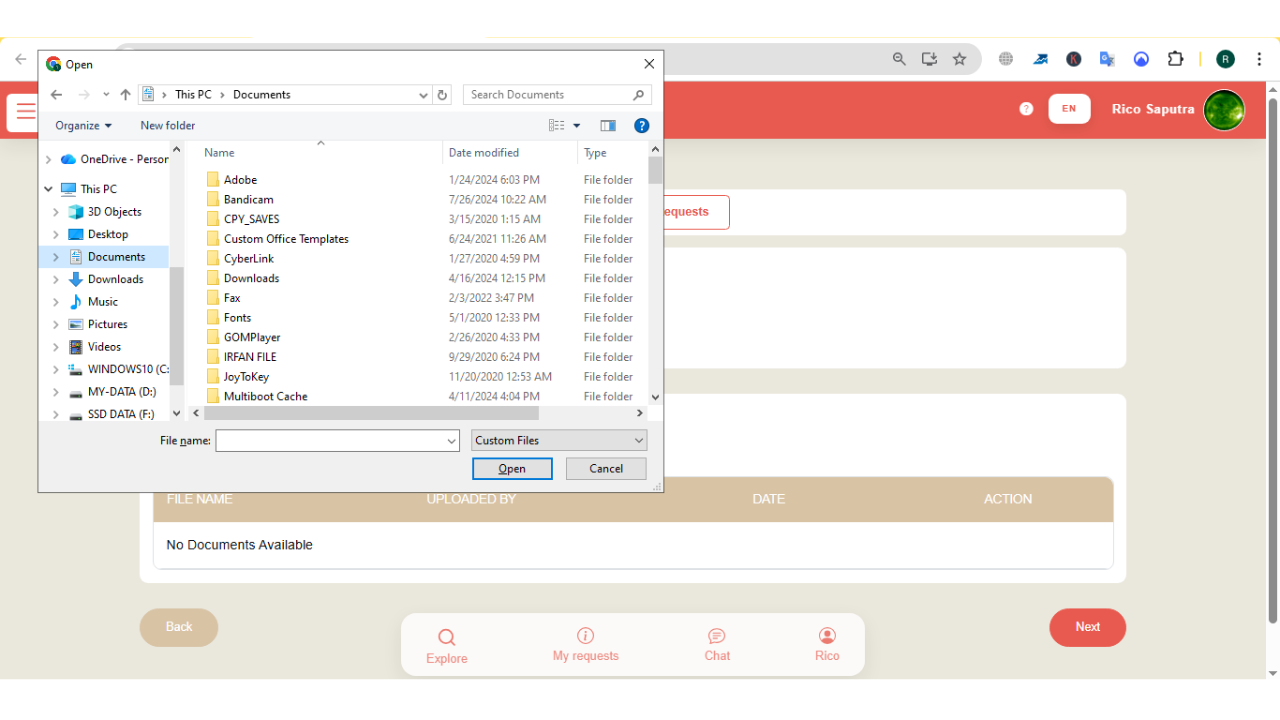
After uploading, scroll down to view the file history and confirm all documents have been successfully submitted.
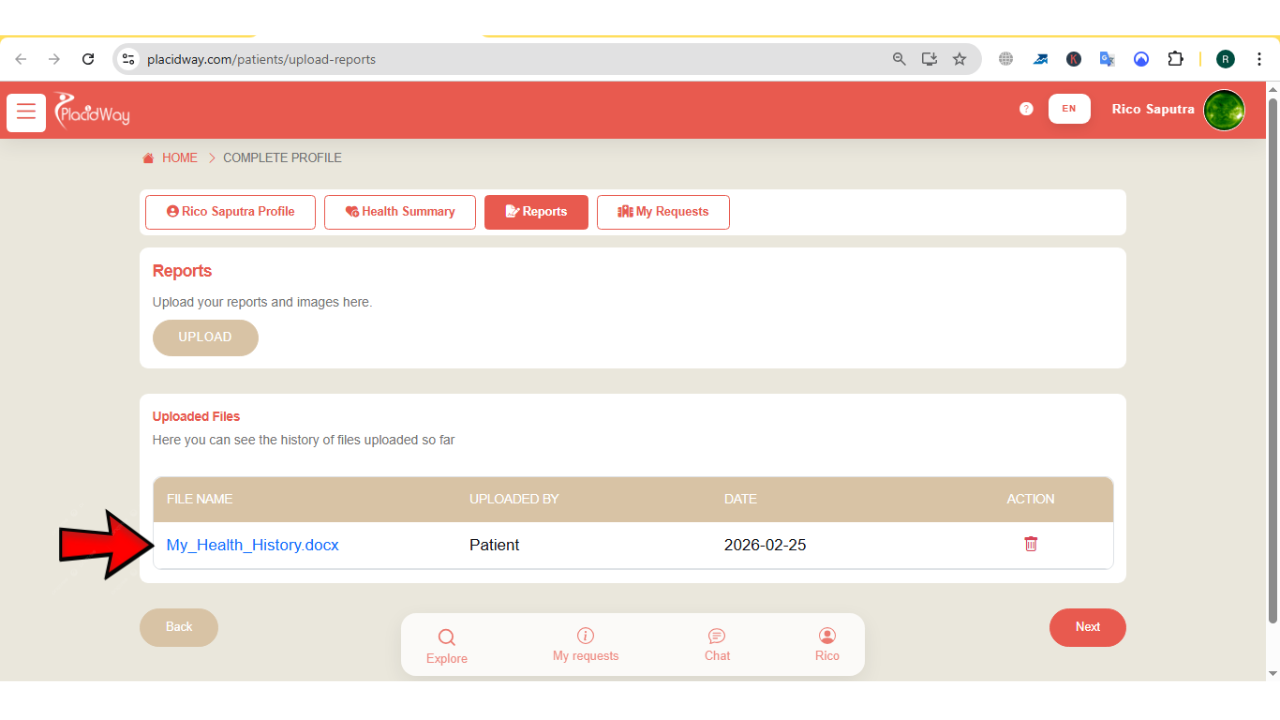
Uploaded documents remain securely stored and accessible to authorized medical providers for evaluation.
4. Connect with Matched Providers
After completing your personal data, health history, and report uploads, your profile becomes ready for provider matching. Just click "My Requests" tab to begin with.
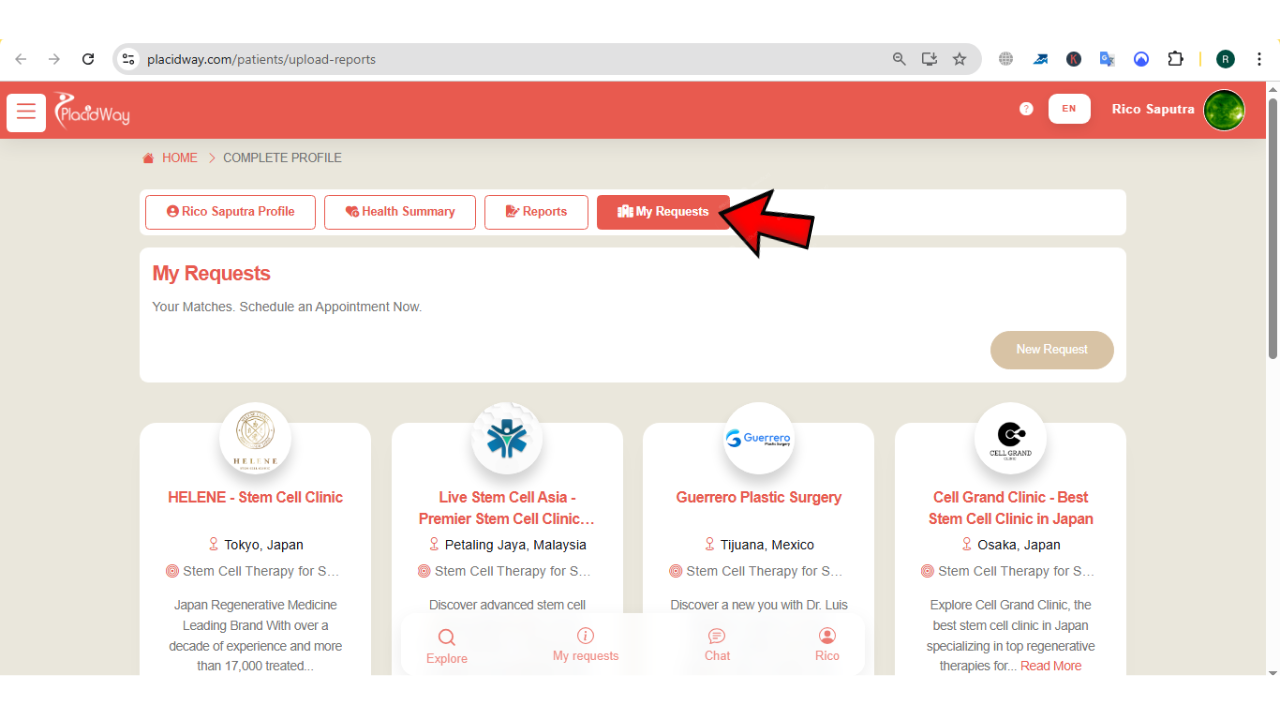
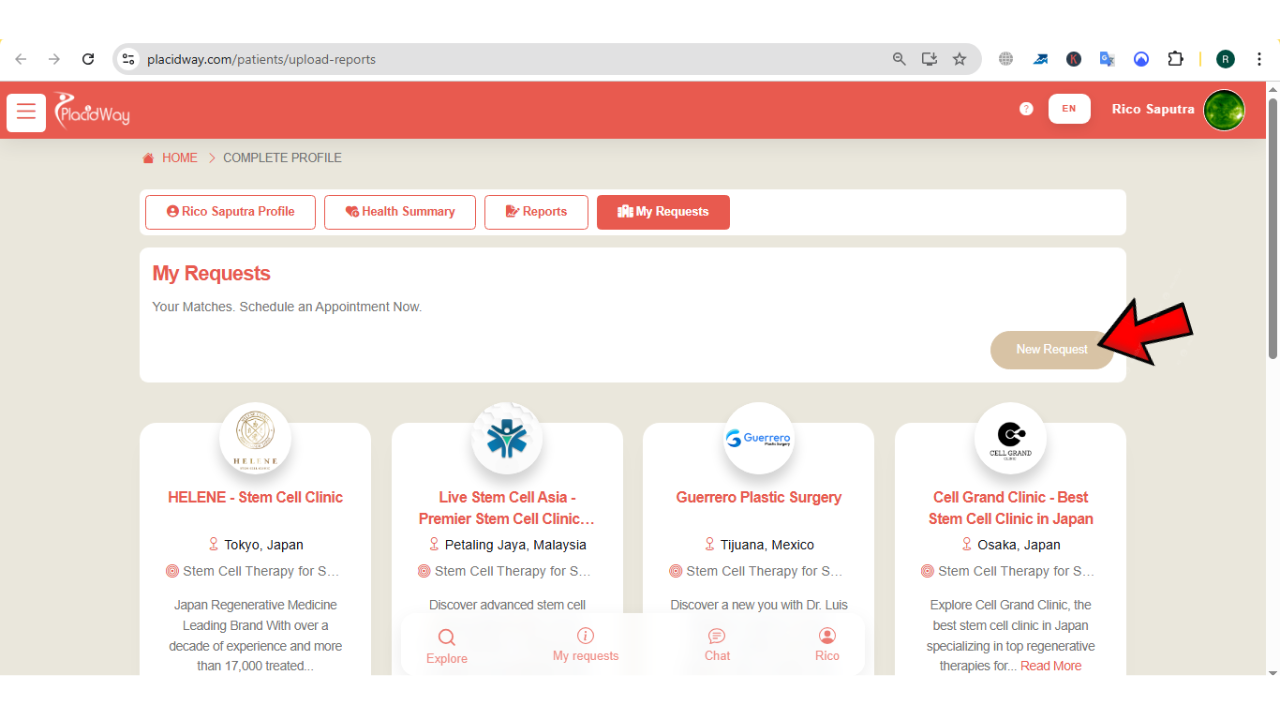
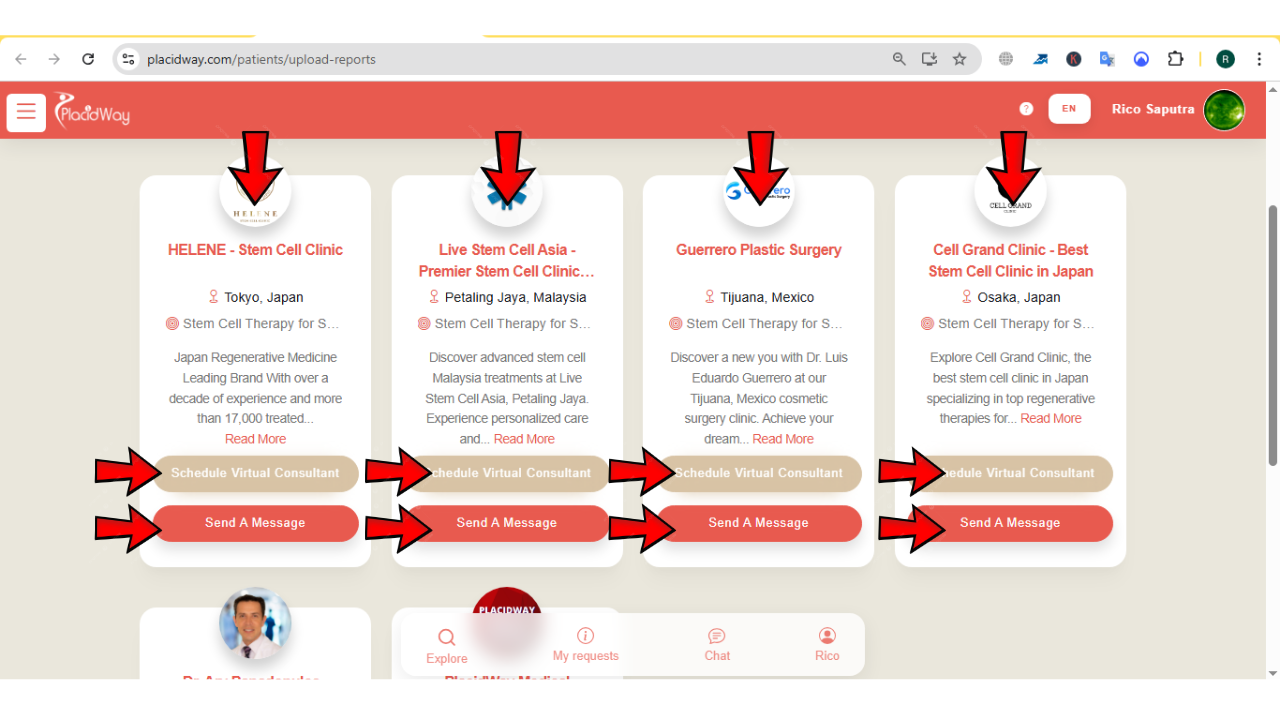
To connect with medical providers, click "New Request" to search for a specific treatment or connect with additional providers, or scroll down to view the list of providers previously contacted.
From the provider list, you can start a "Virtual Consultation" for direct discussion or click "Send a Message" to follow up and discuss treatment plans in detail.
A complete profile increases the chances of receiving faster responses and more accurate treatment proposals.
Why Complete Your Patient Profile?
Help the system and doctors find the best specialists tailored exactly to your condition and location preferences.
Clinics prioritize complete profiles as they contain all the medical data needed for an immediate evaluation.
By providing medical reports and health history, medical centers can give you a more realistic quote upfront.
Full disclosure of medications and medical history ensures doctors recommend only the safest procedures for you.
Take the Next Step Toward Personalized Care
Complete your patient profile today to ensure accurate doctor matching, faster consultations, and personalized treatment recommendations. A detailed profile helps medical providers understand your needs and guide you toward the most suitable care options through the PlacidWay Patient Portal.
