

Manage Do Not Call Cases Efficiently
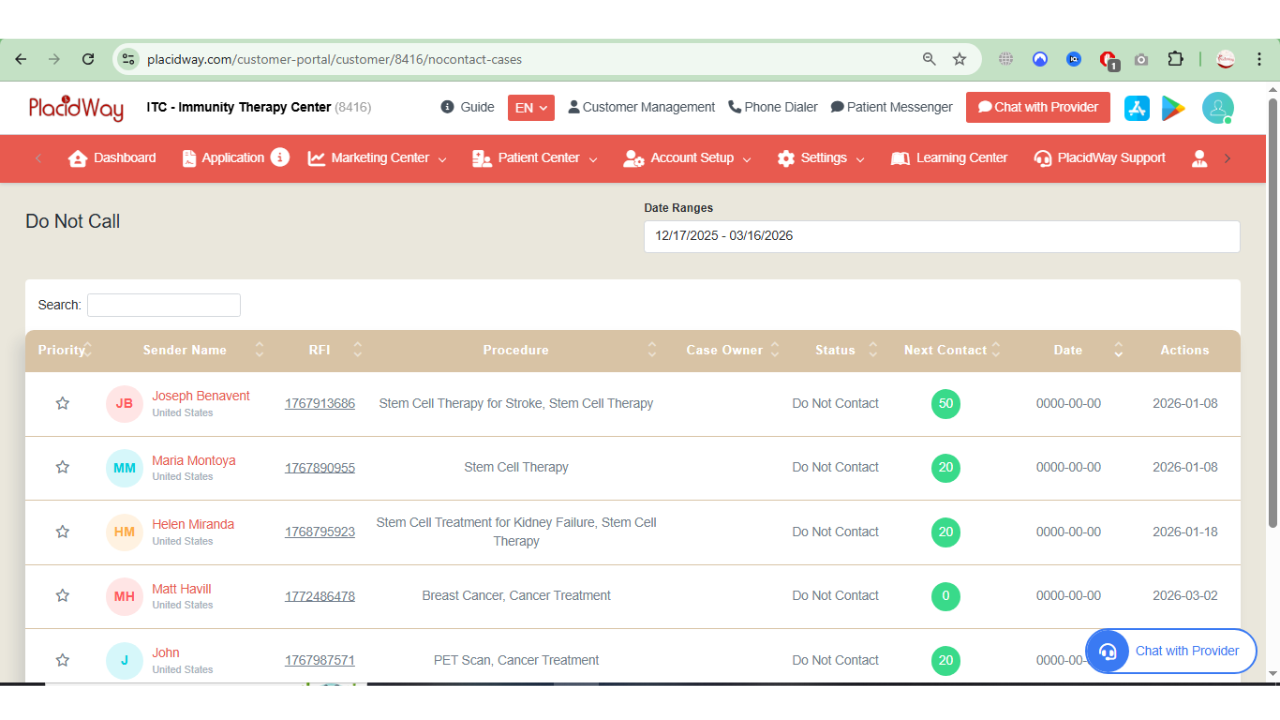
The Do Not Call Cases feature in the Patient Center helps providers manage and track patient requests where individuals have indicated they do not wish to receive phone calls. This tool ensures proper handling of these cases by allowing users to filter records by date range, search for specific requests, and review important details such as the patient name, requested procedure, case owner, and follow-up status.
By organizing this information in a structured table, the feature supports more efficient case management, improves compliance with patient communication preferences, and helps providers ensure respectful and appropriate follow-up.
How to Manage Do Not Call Cases
The Do Not Call Cases page allows you to quickly view, review, and manage patients who have requested not to be contacted by phone. Follow the steps below to access and manage these cases.
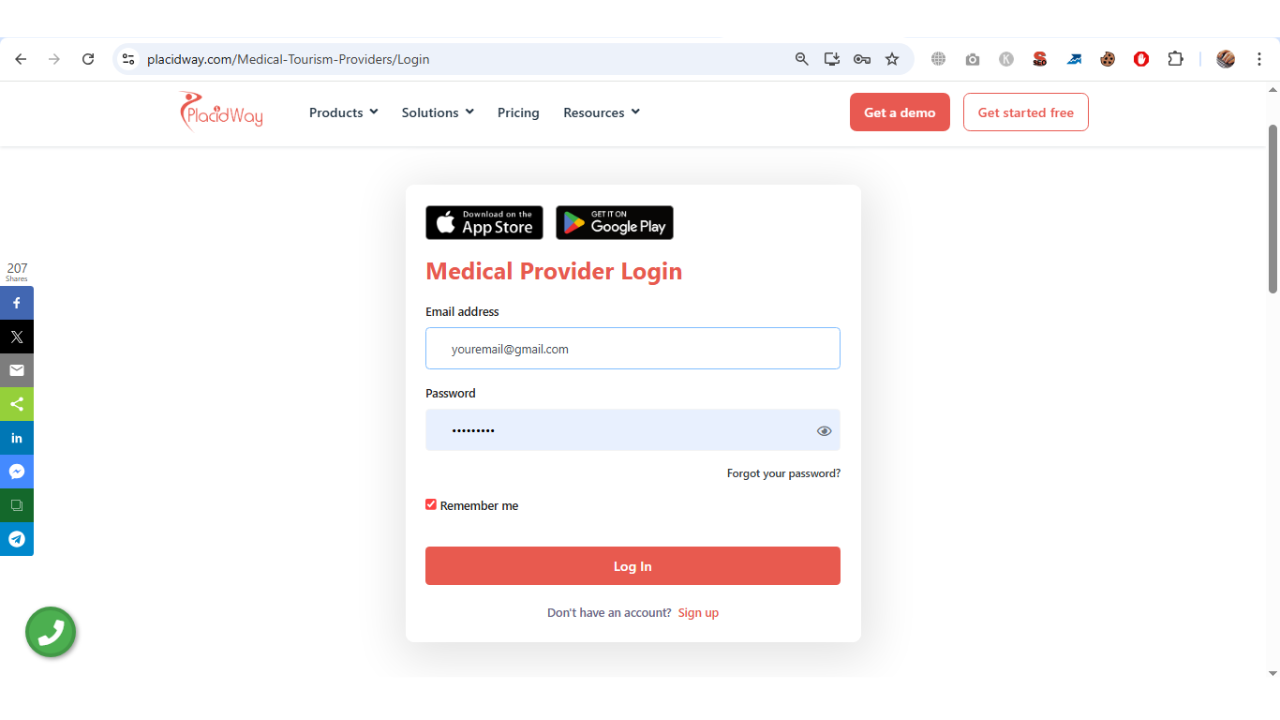
1. Login to your PlacidWay Provider Portal Account using your registered email and password.
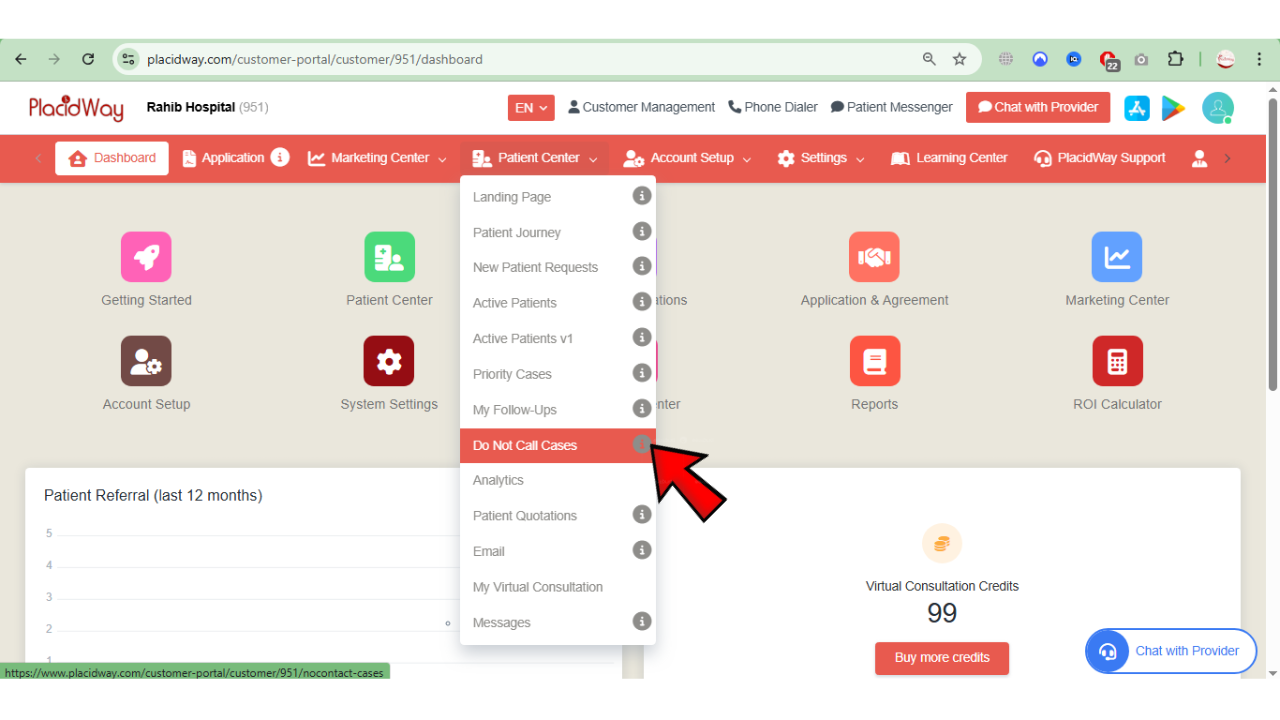
2. On your PlacidWay Provider Portal Dashboard, go to "Patient Center" and click "Do Not Call Cases."
3. You will see the list of patients marked under Do Not Call Cases, including their request details and current case status.
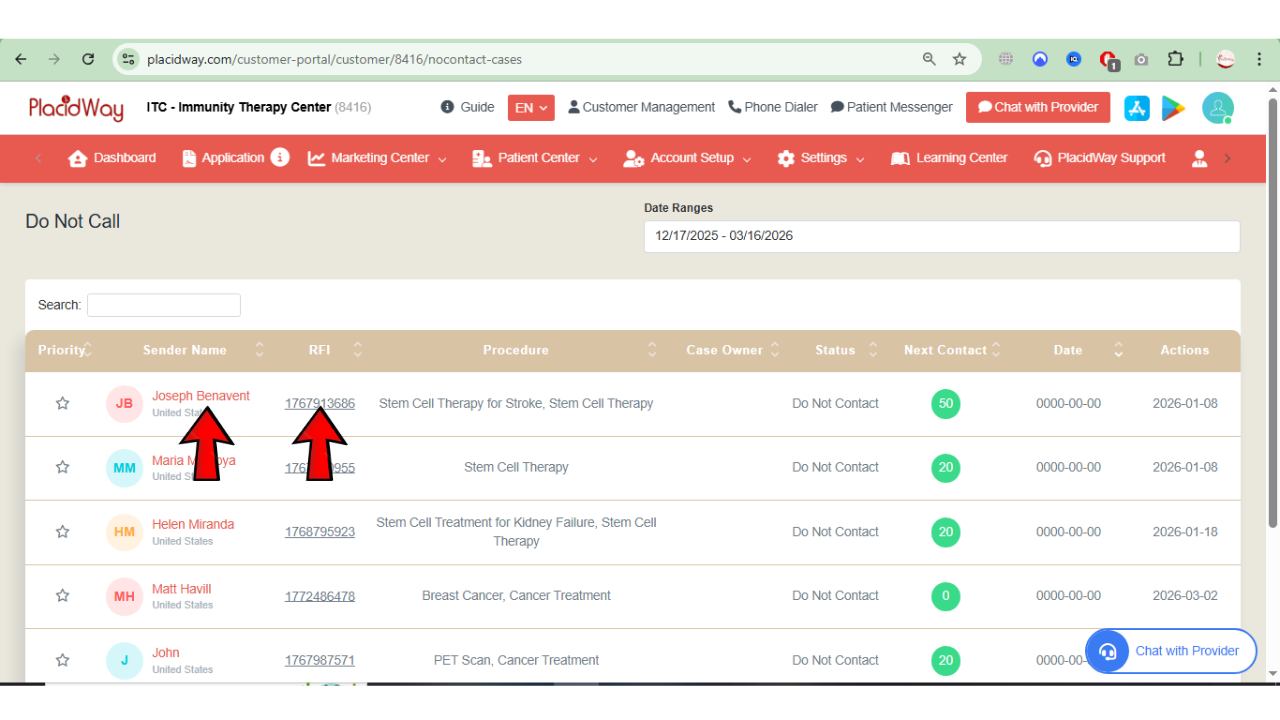
4. Click "Sender Name" or "RFI" to view the full details of the patient request that is marked with Do Not Call status.
5. In the Available Options section, you can choose how to manage the case. Options include Patient Data, Chat With Patient, WhatsApp, SMS, Email Patient, Call To Patient, Virtual Consultation, and Follow Up, allowing you to review patient information or communicate through different channels when appropriate.
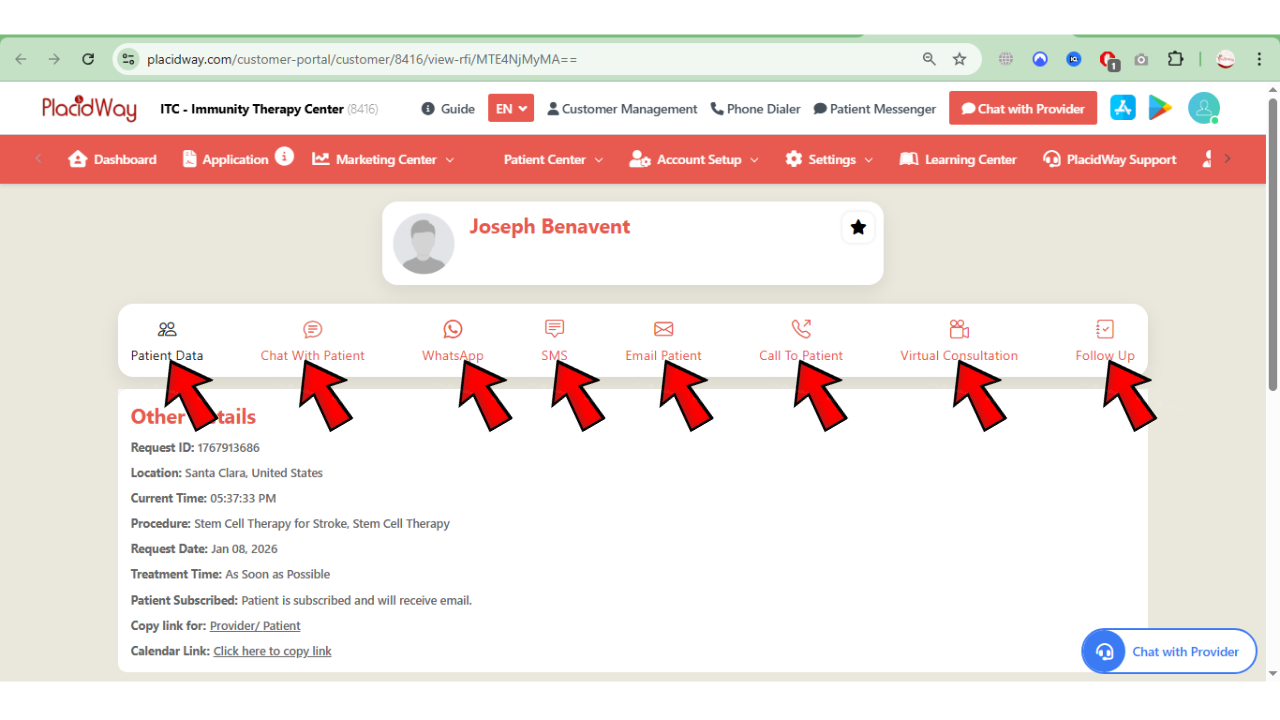
6. Select the most suitable option based on the patient’s request and case status to review details, manage communication, or schedule follow-up actions, while ensuring the case is handled according to the Do Not Call preference.
Why Use Do Not Call Management?
Respecting patient privacy builds long-term trust and a professional clinic reputation.
Stay compliant with international communication guidelines regarding "Do Not Call" requests.
Redirect your focus to WhatsApp, Chat, or Email where the patient is more comfortable engaging.
Quickly separate active call leads from non-call leads to optimize your team's workflow.
Respect Patient Preferences and Improve Case Management
Using the Do Not Call Cases feature helps ensure that patient communication preferences are respected while still allowing providers to manage inquiries effectively. By reviewing case details and selecting appropriate communication options, you can maintain organized case tracking, improve patient experience, and ensure compliance with communication guidelines.
