

Manage Your Documents Easily
The My Documents section is part of the Case Management module in the PlacidWay Provider Portal. This feature allows you to upload and store important documents related to your services and treatments. Keeping your documents organized helps you provide more accurate treatment quotations and faster responses to patient inquiries.
How to Upload and Manage Your Documents
The My Documents feature allows you to upload, view, and manage important files directly from your provider portal. Follow these simple steps to upload and organize your documents:
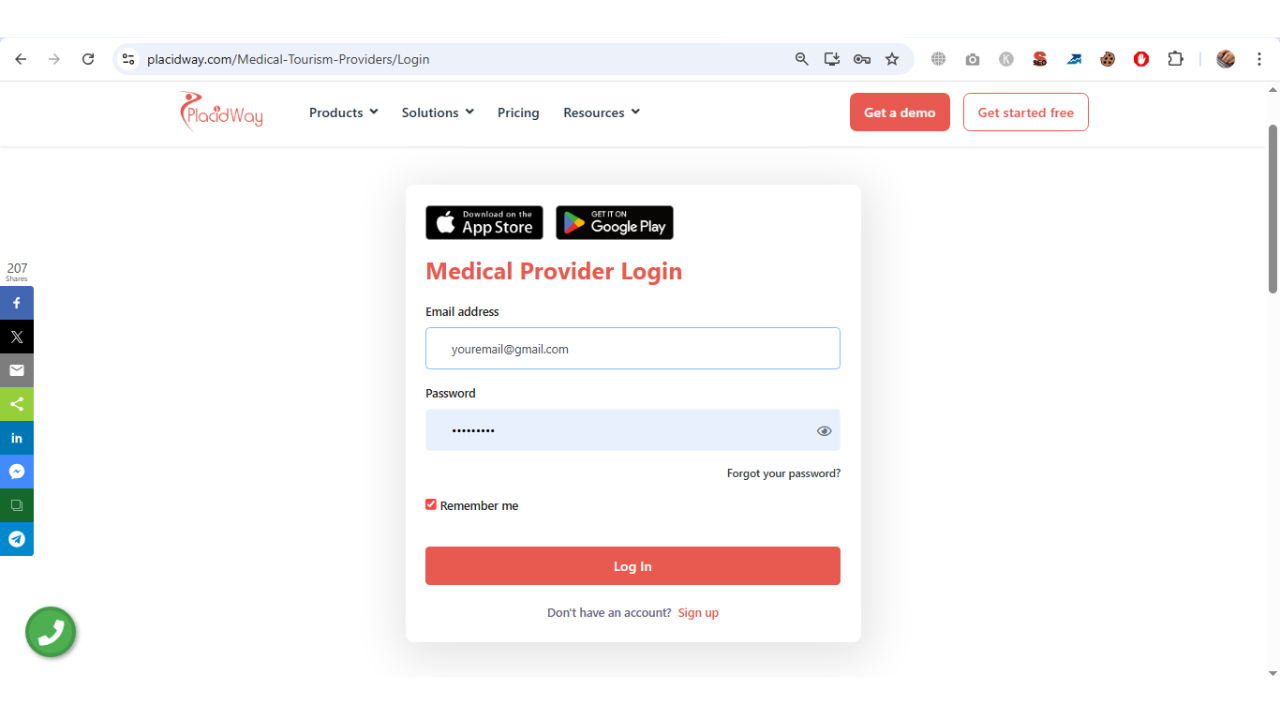
1. Log in to your PlacidWay Provider Portal using your registered email and password.
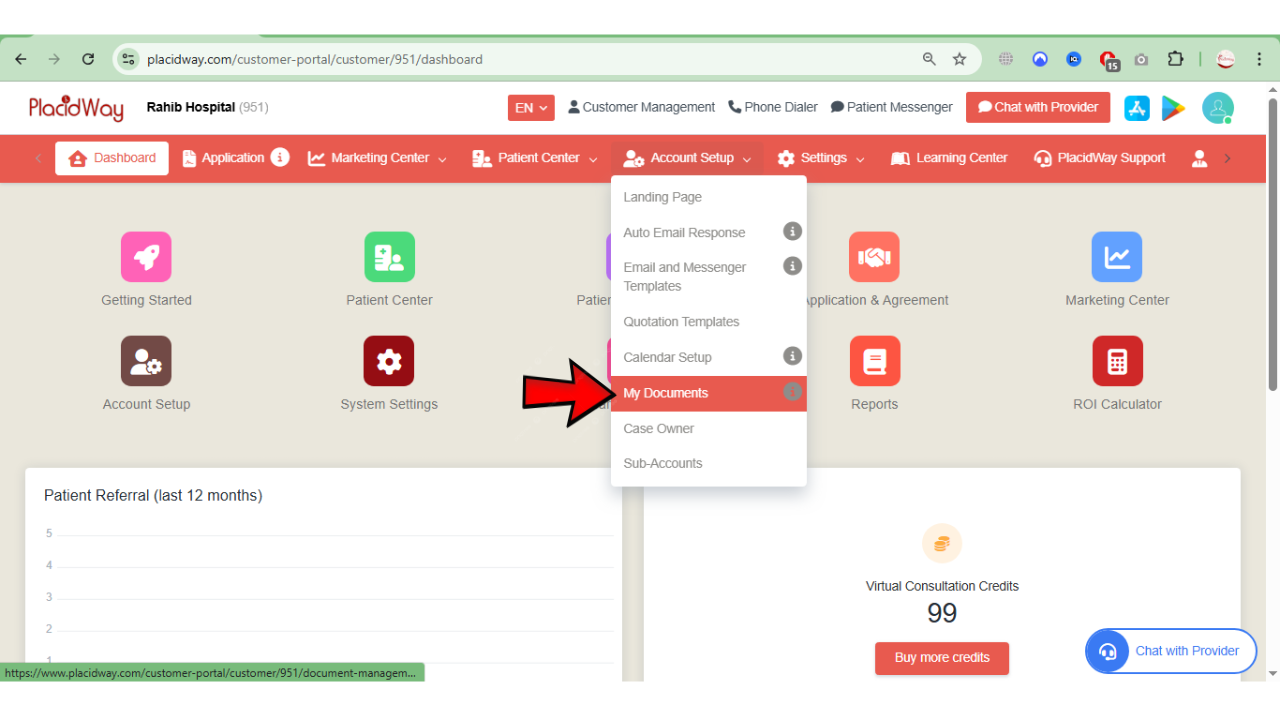
2. From the Dashboard, navigate to Account Setup and click on My Documents.
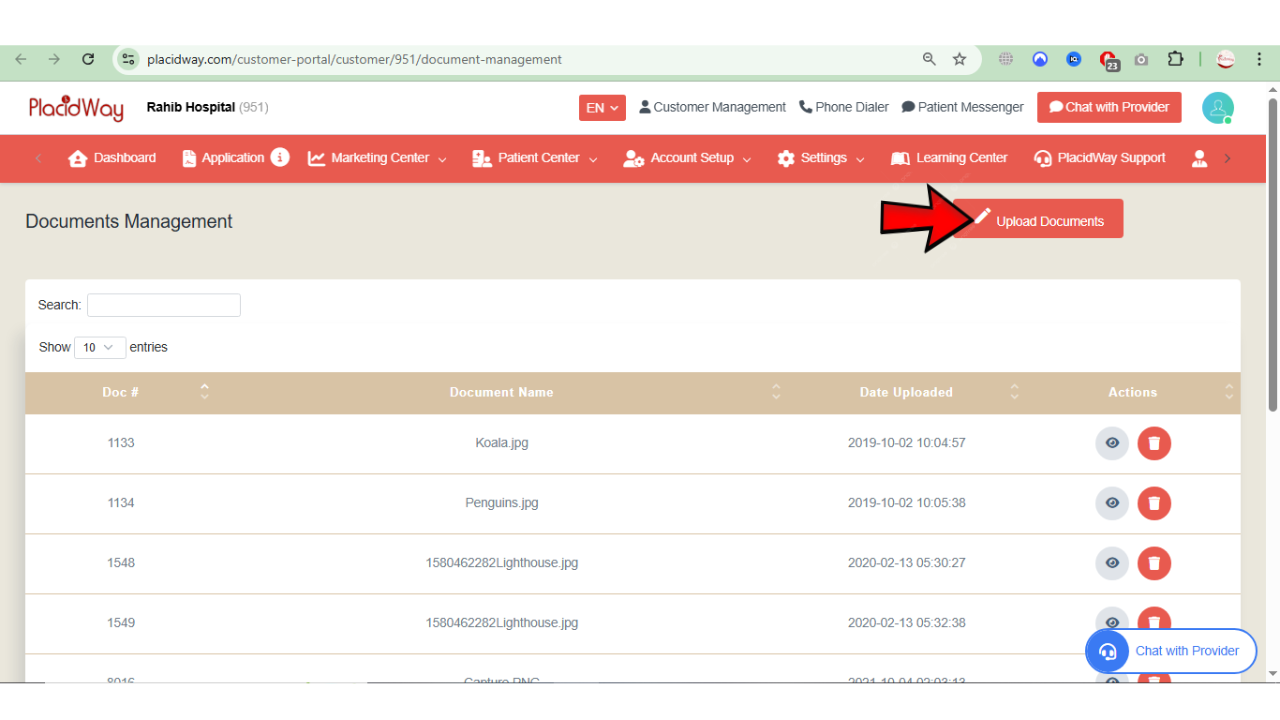
3. On the Document Management page, click Upload Documents to start adding your files. You can upload common file formats such as PDF, MS Word, XLSX, JPG, PNG, and other supported formats.
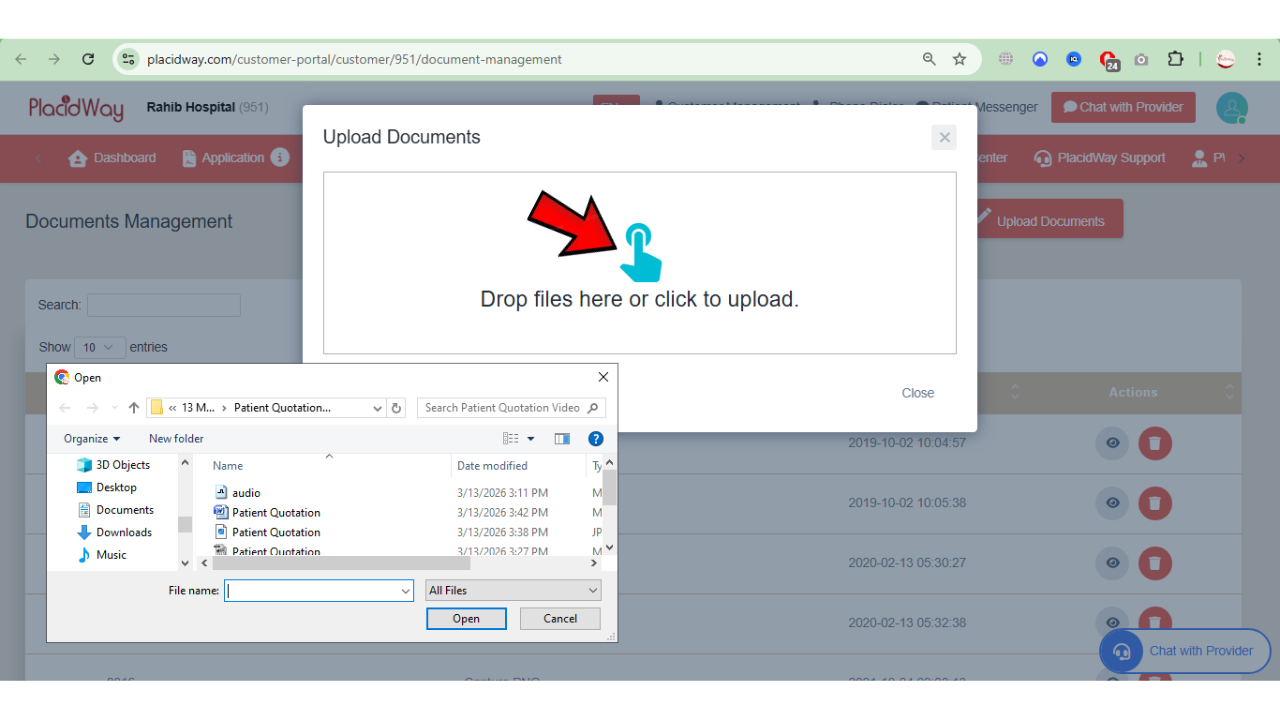
4. After uploading, check the uploaded files list to confirm your document has been successfully added. Click the View Document icon to preview the file.
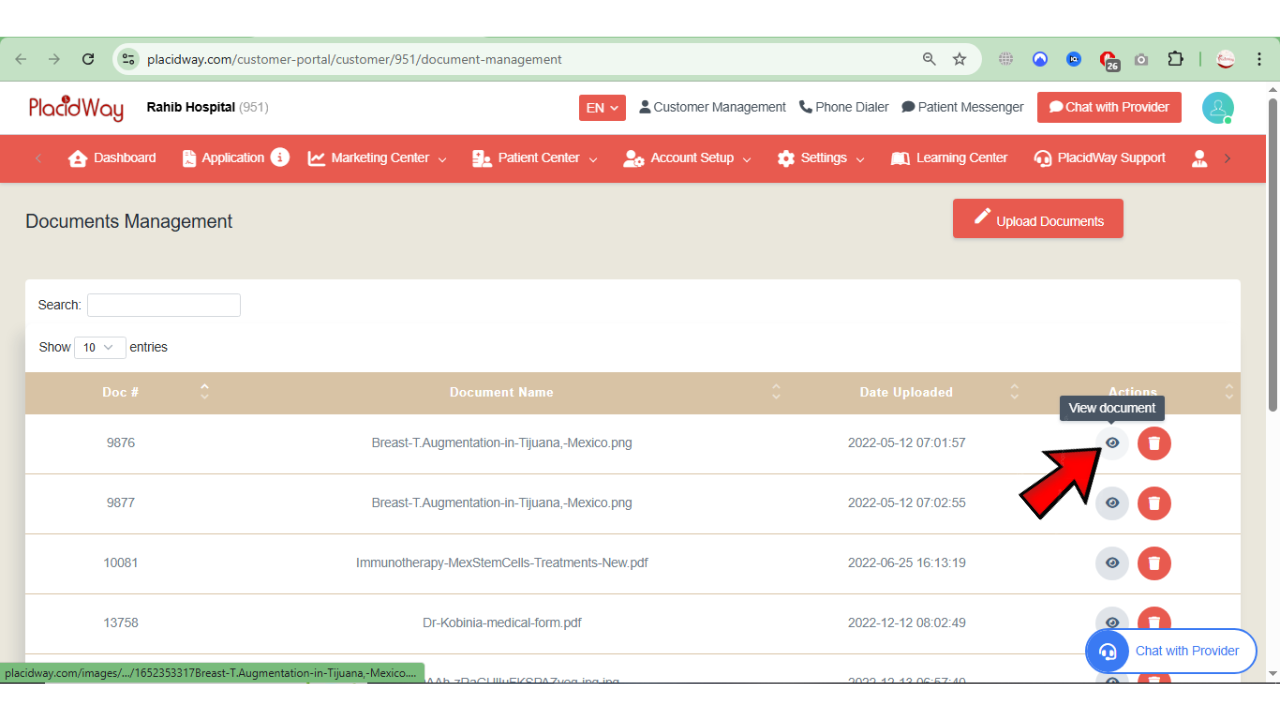
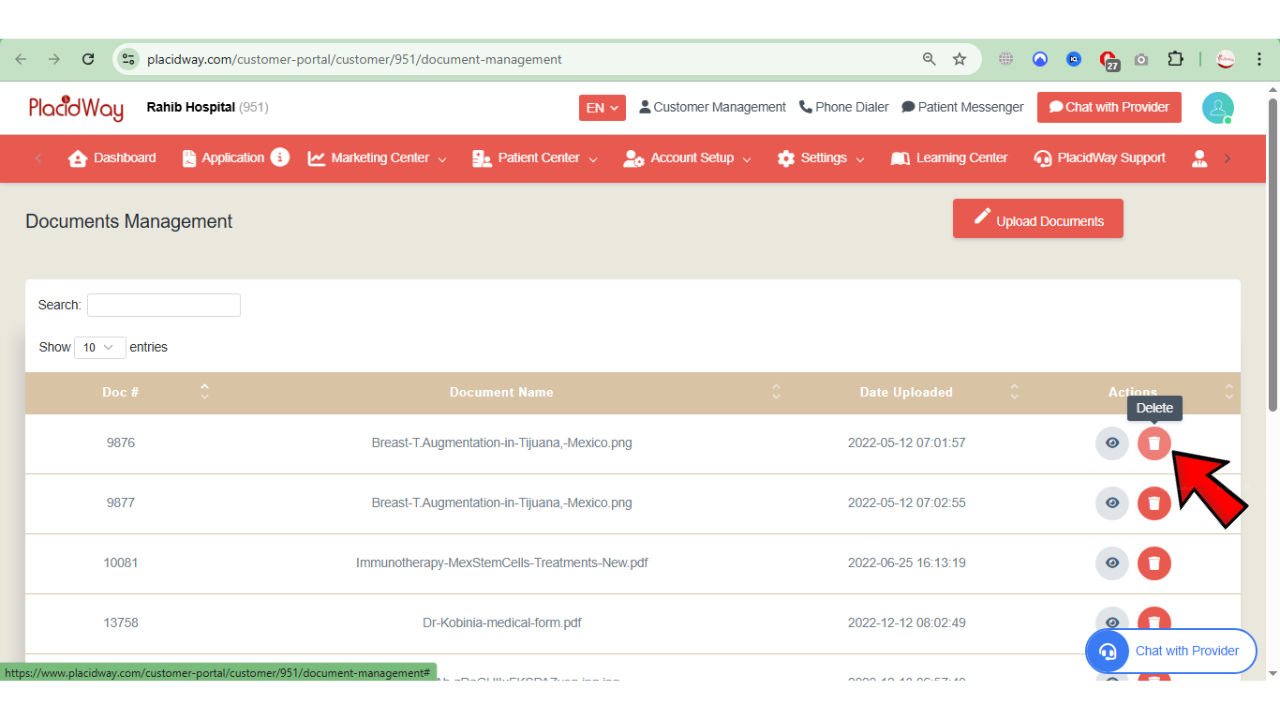
5. If you need to remove a file, simply click the Delete icon next to the document.
Why Manage Your Documents Online?
Keep all your brochures, pricing sheets, and medical info in one secure location accessible anywhere.
Quickly attach required documents to patient responses to speed up the booking process.
Ensure patients receive the most up-to-date and high-quality information about your clinic.
Easily add, preview, or delete files to keep your clinical records clean and organized.
Keep Your Documents Ready for Faster Patient Support
Uploading and managing your documents ensures that important information is always available when preparing treatment quotations or responding to patient inquiries. By keeping your files organized in the My Documents section, you can streamline communication and improve your response time to potential patients.
